EU Data Center: Inbound Gateway
If you are installing in the EU Data Centers please follow the instructions below. Otherwise go to the US Data Center: Inbound Gateway documentation.
Written By Michel Young
Last updated About 2 months ago
Apps → Google Workspace → Gmail → Spam, phishing, and malware → Inbound Gateway
Scroll to the section “Inbound gateway” and hover over and click the edit pencil. Enable Inbound gateway if it is not already enabled.
The inbound gateway setting is where you specify to Google what servers mail may pass through before the final delivery. Google needs to account for not only Google, but also INKY IPs. By adding these IPs, each email’s entire journey from initial entry into Google through INKY processing and the return journey to Google is accounted for. There are a total of eight (8) INKY IPs and twenty-eight (28) Google IP blocks. It is recommended to add the INKY IPs first and save your work (blue save button) prior to installing the Google IPs as the Google UI times out and you will need to redo the installation.
INKY controlled IPs:
3.121.161.22918.198.39.24334.249.87.6552.17.160.918.193.59.018.198.169.24063.32.42.22534.255.79.51Click the blue save button and then add the next section
Google controlled IP Blocks:
35.190.247.0/2435.191.0.0/1666.102.0.0/2064.233.160.0/1966.249.80.0/2072.14.192.0/1874.125.0.0/16108.177.8.0/21108.177.96.0/19130.211.0.0/22172.217.0.0/19172.217.32.0/20172.217.128.0/19172.217.160.0/20172.217.192.0/19172.253.56.0/21172.253.112.0/20173.194.0.0/16207.126.144.0/20209.85.128.0/17216.58.192.0/19216.239.32.0/192001:4860:4000::/362404:6800:4000::/362607:f8b0:4000::/362800:3f0:4000::/362a00:1450:4000::/362c0f:fb50:4000::/36Click the blue save button and then add the next section.
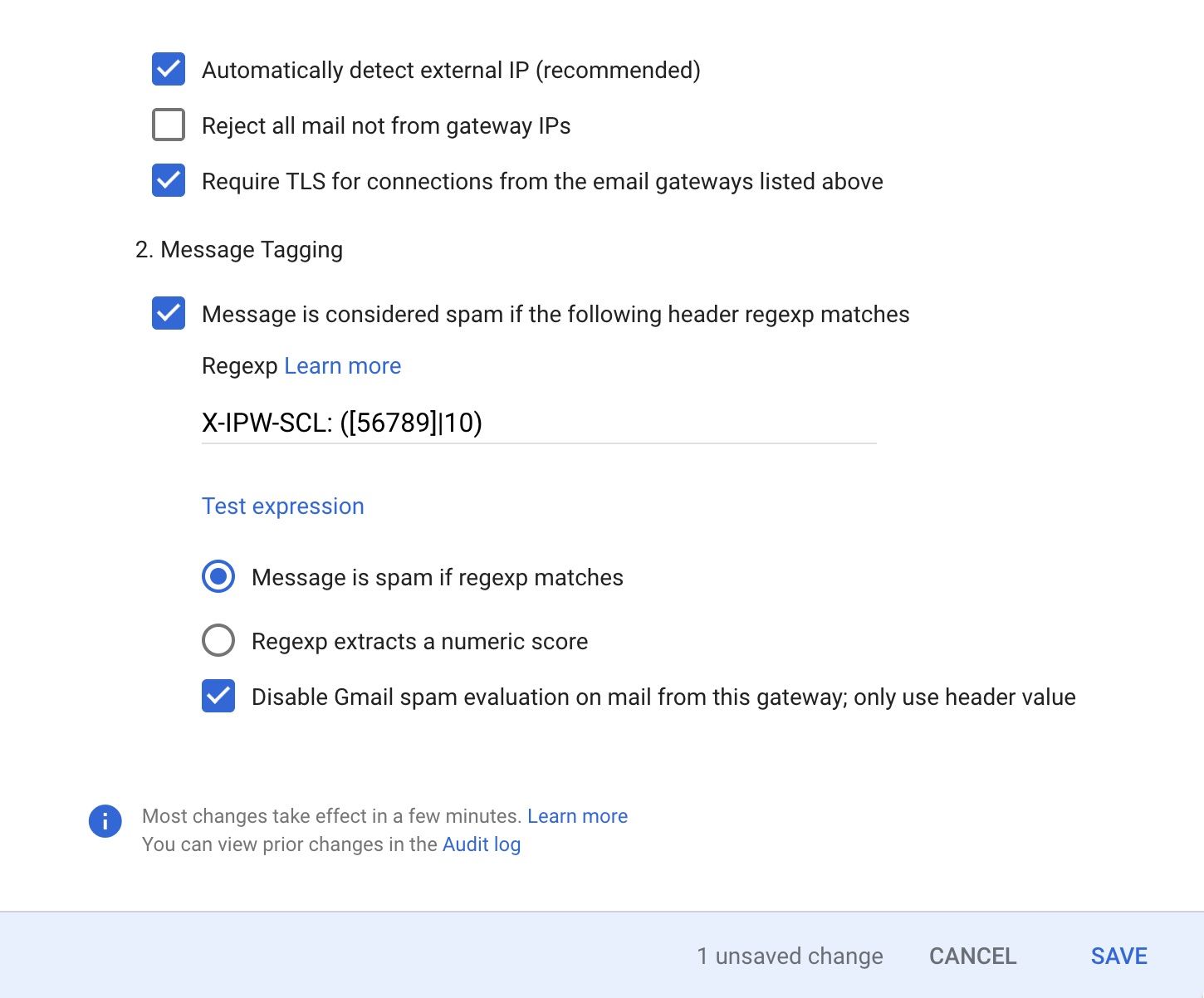
Regexp:
X-IPW-SCL: ([56789]|10)Click the blue save button to save your work
Previous Page
Next Page
Still need help? Ask the team