EU Data Center: Hosts
If you are installing in the EU Data Centers please follow the instructions below. Otherwise go to the US Data Center: Hosts documentation.
Written By Michel Young
Last updated 10 months ago
Apps → Google Workspace → Gmail → Hosts
Inbound Gateway
Select “Add Route”
Name:
INKY Phish Fence inbound gatewayHost Name:
gs-ipw.eu.inkyphishfence.comEmail Port:
25Test TLS Connection
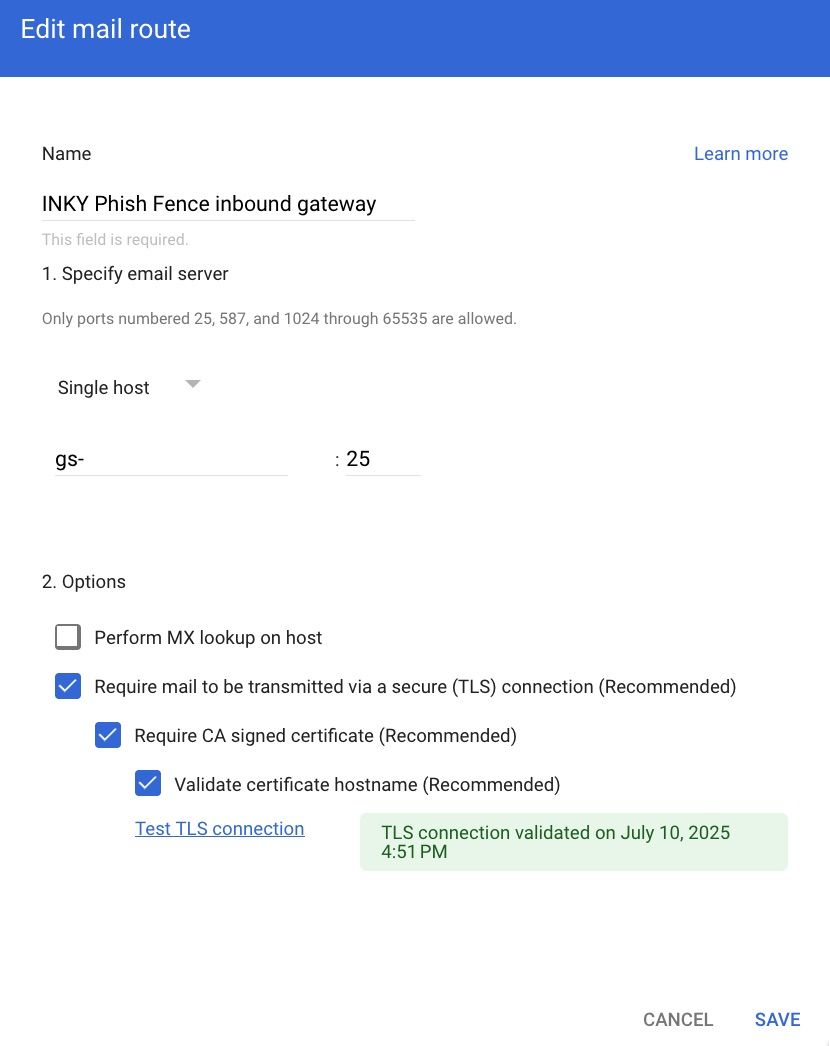
Select “SAVE”
Outbound Gatway
Select “Add Route”
Name:
INKY Phish Fence outbound gatewayHost Name:
obx.inbound.eu.inkyphishfence.comEmail Port:
25Test TLS Connection
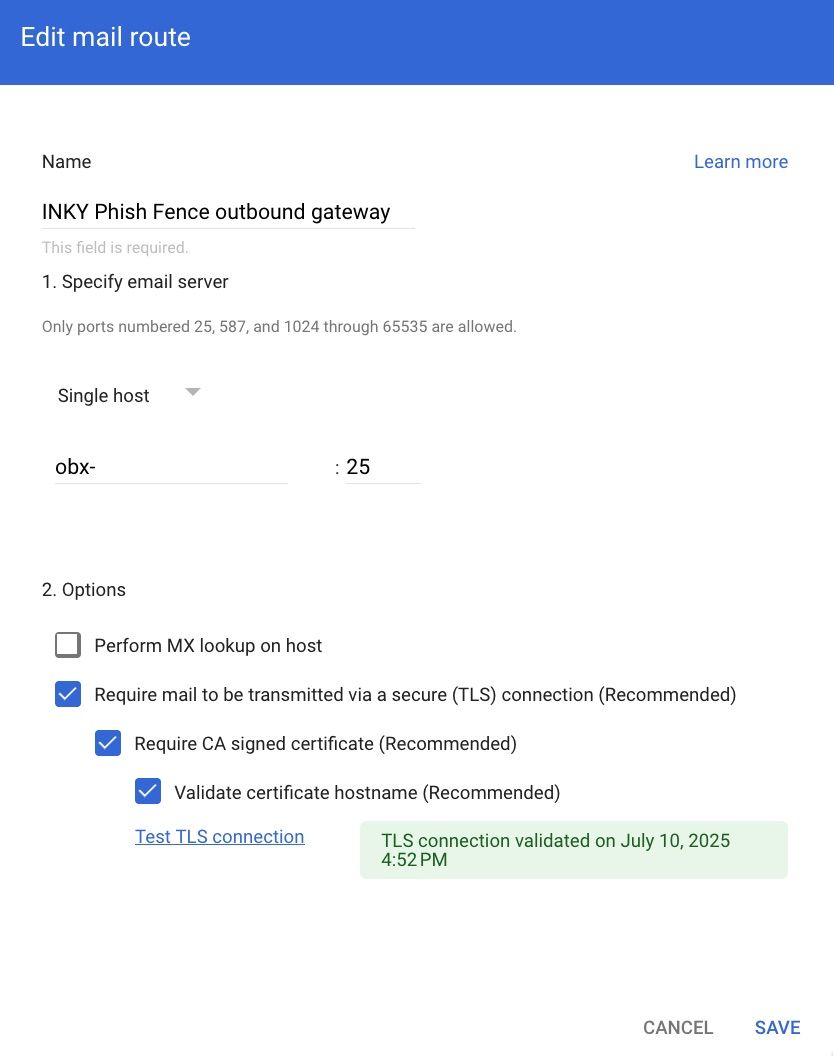
Select “SAVE”
Previous Page
Next Page
Still need help? Ask the team