Internal Receiving Content Compliance
Written By Michel Young
Last updated 8 months ago
Apps → Google Workspace → Gmail → Compliance → Content Compliance
Scroll to the Content compliance section and select “Configure” or “Add Another Rule”.
Name:
Route internal receiving to IPW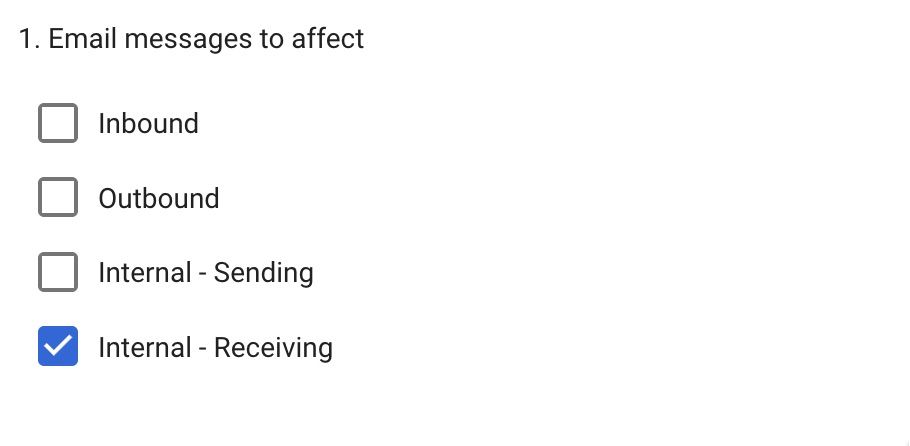
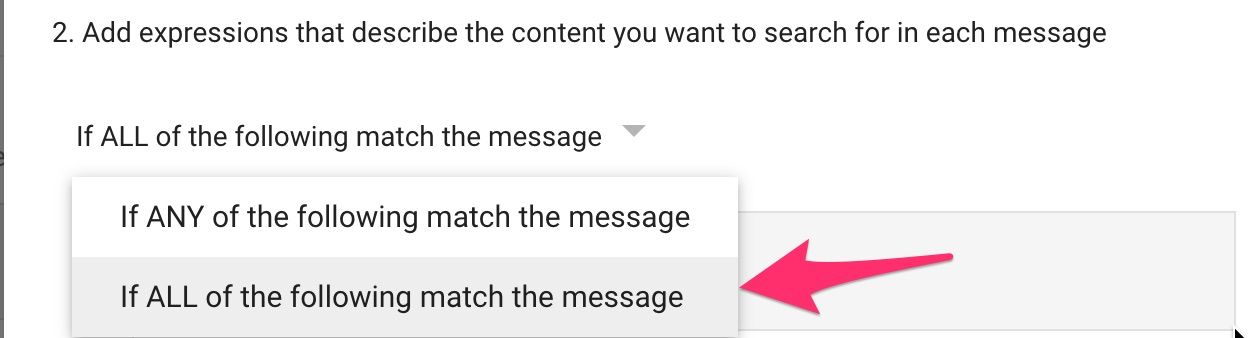
Click the ADD button
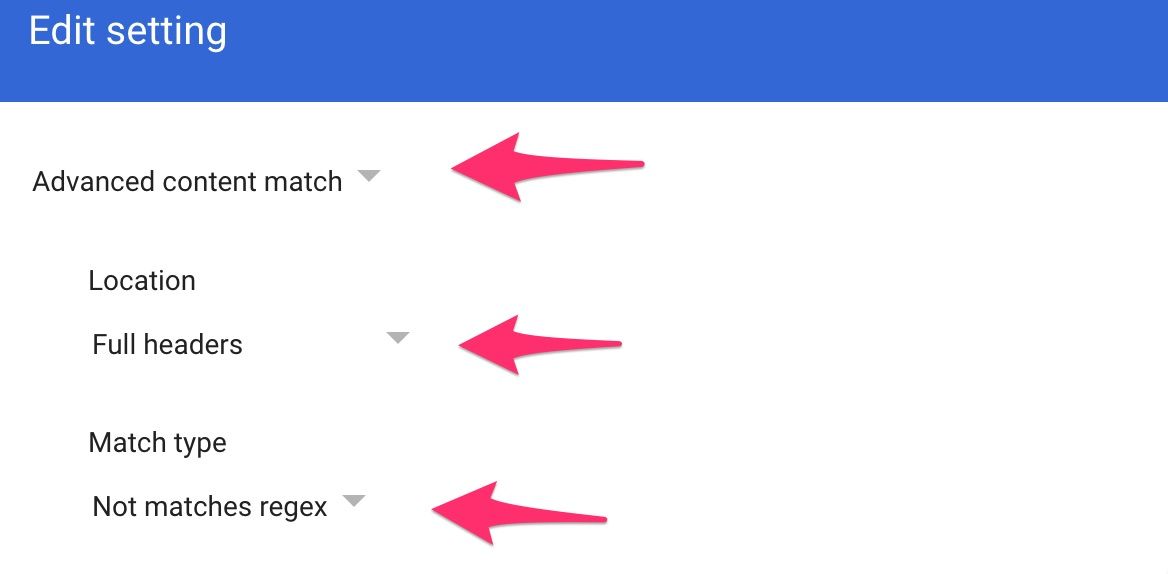
Regexp
(?i)^X-Rerouted-To-Inky: True$Regex Description (optional)
Contains X-Rerouted-To-Inky HeaderSave the Regexp and click the ADD button to add a second regexp
Regexp
(?i)^X-Gm-Auto-Quarantined: 1$Regex Description (optional)
Contains X-Gm-Auto-Quarantined Header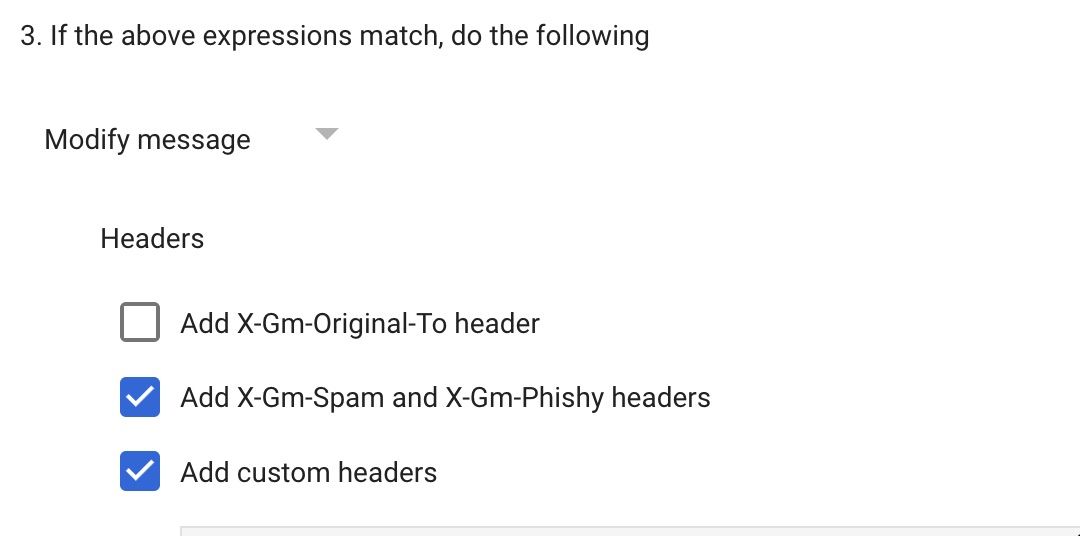
Click the ADD button
IPW-SecurityInside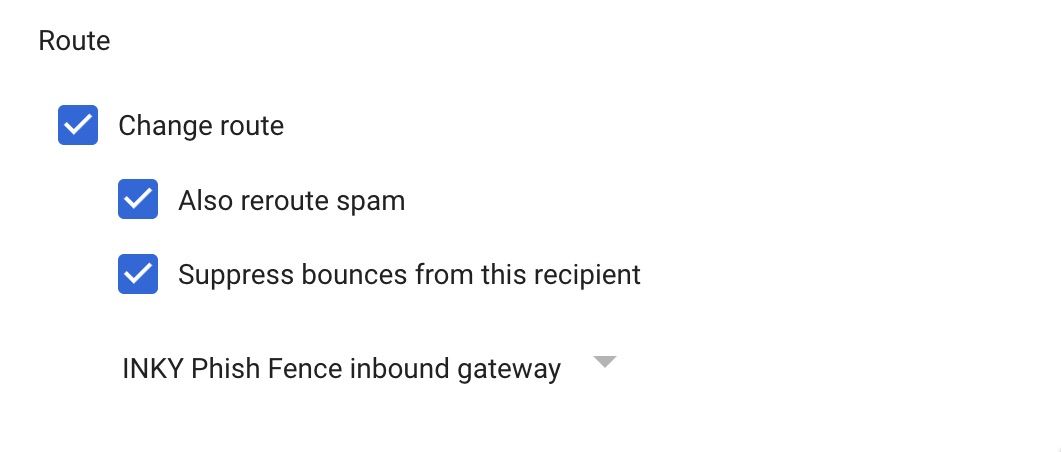
Click the Show options link
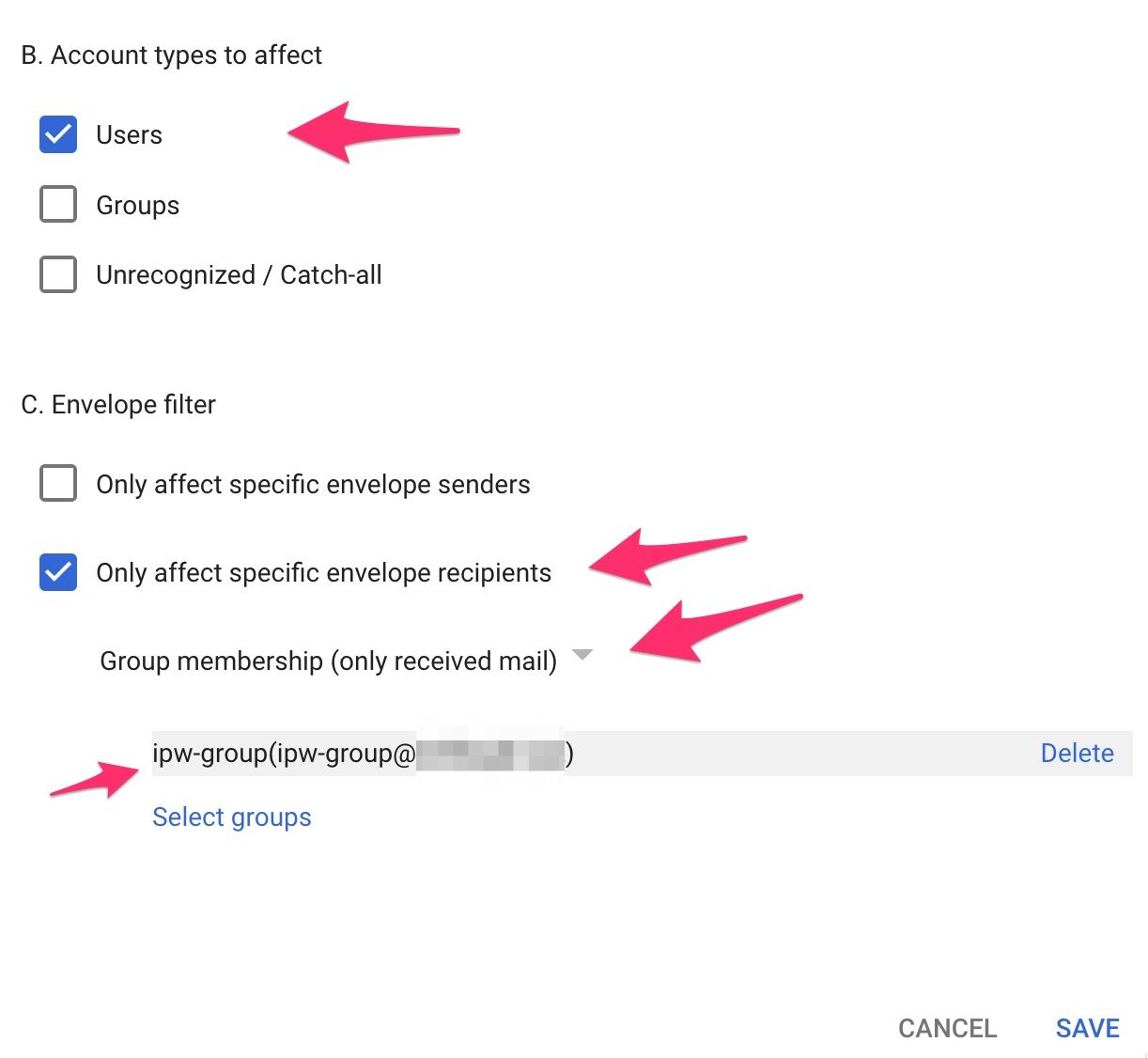
Click the SAVE button to save your work
Previous Page
Next Page
Still need help? Ask the team