US Data Center: SMTP Relay
If you are installing in the US Data Centers please follow the instructions below. Otherwise go to the EU Data Center: SMTP Relay documentation.
Written By Michel Young
Last updated 12 months ago
Apps → Google Workspace → Gmail → Routing → SMTP relay service
Select “Configure” or “Add Another”
Description:
Receive from INKY Outbound Relay
Authentication:
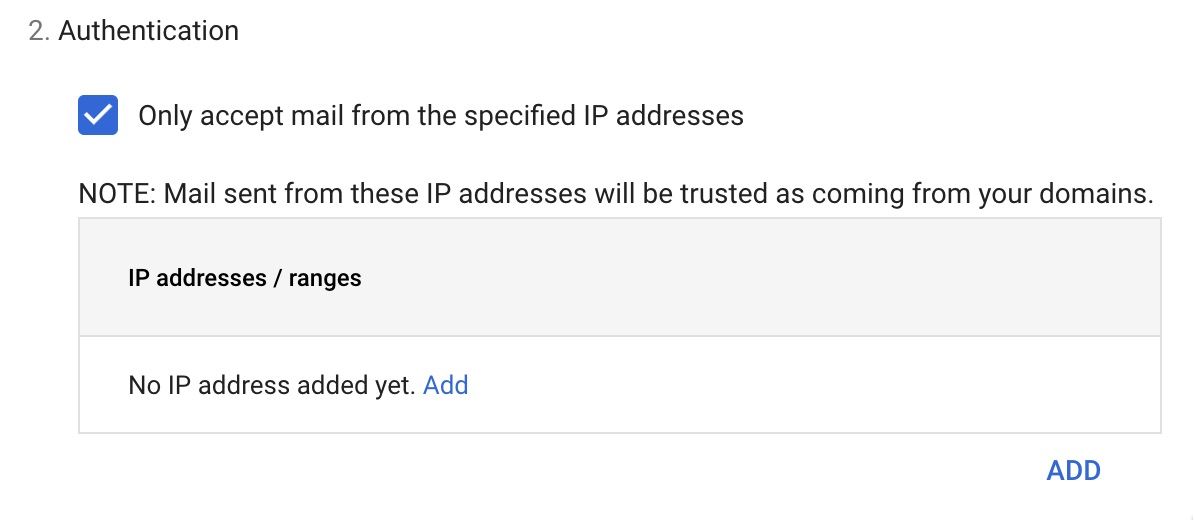
Select ADD
Description:
IPW-3.132.208.199IPW-13.59.96.180IPW-35.166.188.152IPW-44.224.15.38IPW-50.17.62.222IPW-52.4.92.69IPW-52.8.44.33IPW-52.52.2.239IPW-52.60.96.218IPW-52.60.185.242Enter IP address/range:
3.132.208.19913.59.96.18035.166.188.15244.224.15.3850.17.62.22252.4.92.6952.8.44.3352.52.2.23952.60.96.21852.60.185.242Select:

Click the SAVE button to save your work.
Previous Page
Next Page
Still need help? Ask the team