Email Signatures
Your team uses INKY's Email Signatures for consistent outbound branding. Personalize your signature data while maintaining company formatting.
Written By Matt Sywulak
Last updated 12 months ago
Access: User Center > Email Signatures
Update Your Information
If your team requires personalized signatures, you must provide:
Full name
Primary email address
Job title
Department
Optional fields include pronouns, phone numbers, LinkedIn profile, and custom license text.
Import Data: Click "Import New or Updated Data" to pull current information from Microsoft 365 or Google Workspace, then edit as needed.
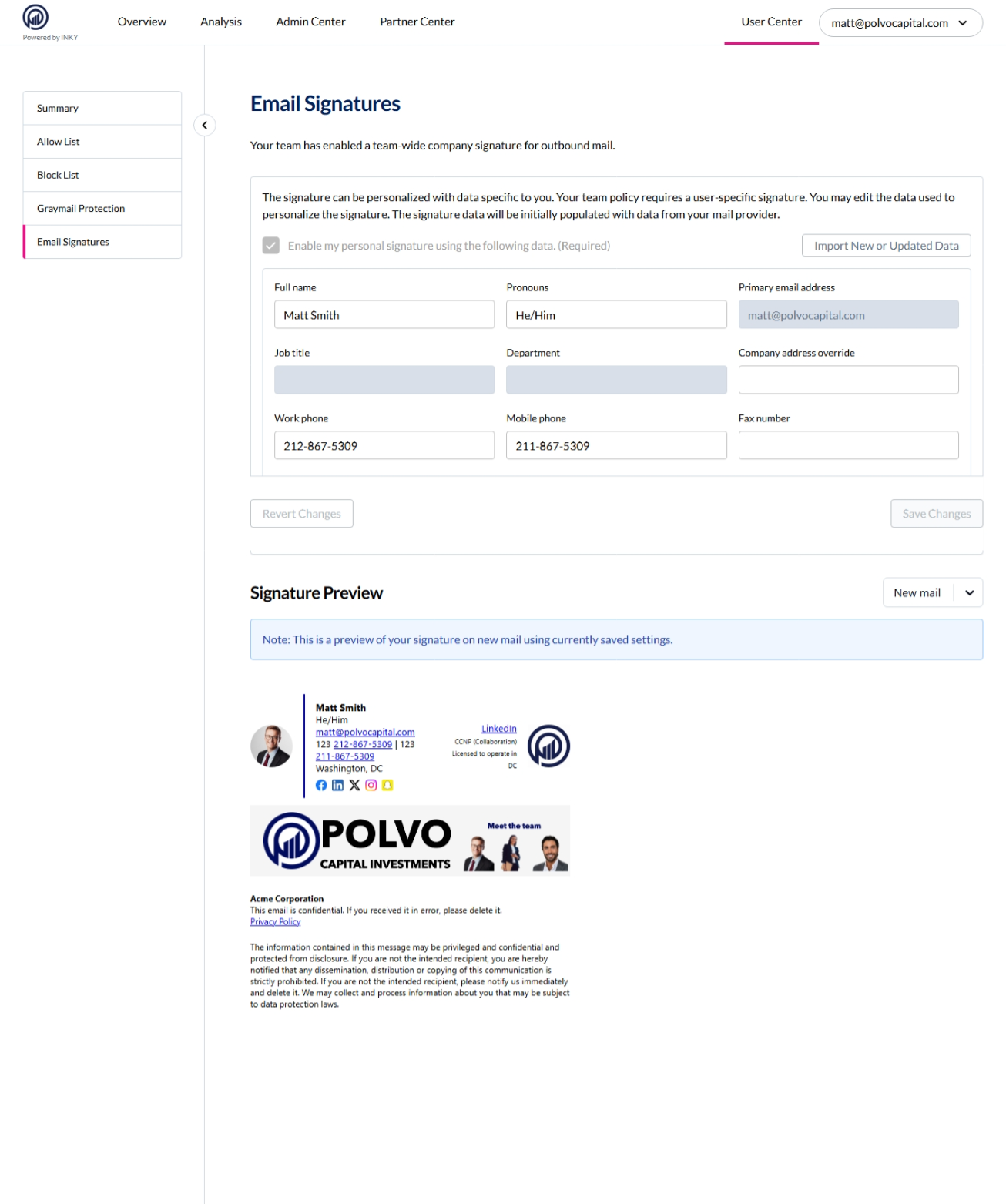
Preview
The preview shows how your signature appears on new emails. Changes save automatically when you update fields.
Key fact: Team admins control signature design and which fields are required. You control the data that populates those fields.
Still need help? Ask the team