Email Encryption
INKY's Email Encryption protects sensitive information by routing messages through a secure portal instead of standard email. Recipients authenticate once and reply securely without plugins.
Written By Matt Sywulak
Last updated 12 months ago
Available in: Pro (add-on)
Send an Encrypted Message
Type [ENCRYPT] in the subject line with a space before your subject text:
✓
[ENCRYPT] Q4 Financial Report✗
[ENCRYPT]Q4 Financial Report(no space, won't encrypt)
If Outbound Mail Protection is enabled, encryption can also trigger automatically based on sender/recipient addresses, display names, or data leak prevention rules.
What Recipients See
Recipients receive a notification email with a "View Encrypted Message" link. They authenticate using:
Microsoft (Office 365, Hotmail, Live)
Google (Gmail, Workspace)
Magic Link (one-click verification via email)
All replies in the portal stay encrypted automatically.
View Your Encrypted Messages
Access the Encryption Portal to see all sent and received encrypted messages. Reply directly from the portal using "Send Secure Reply."
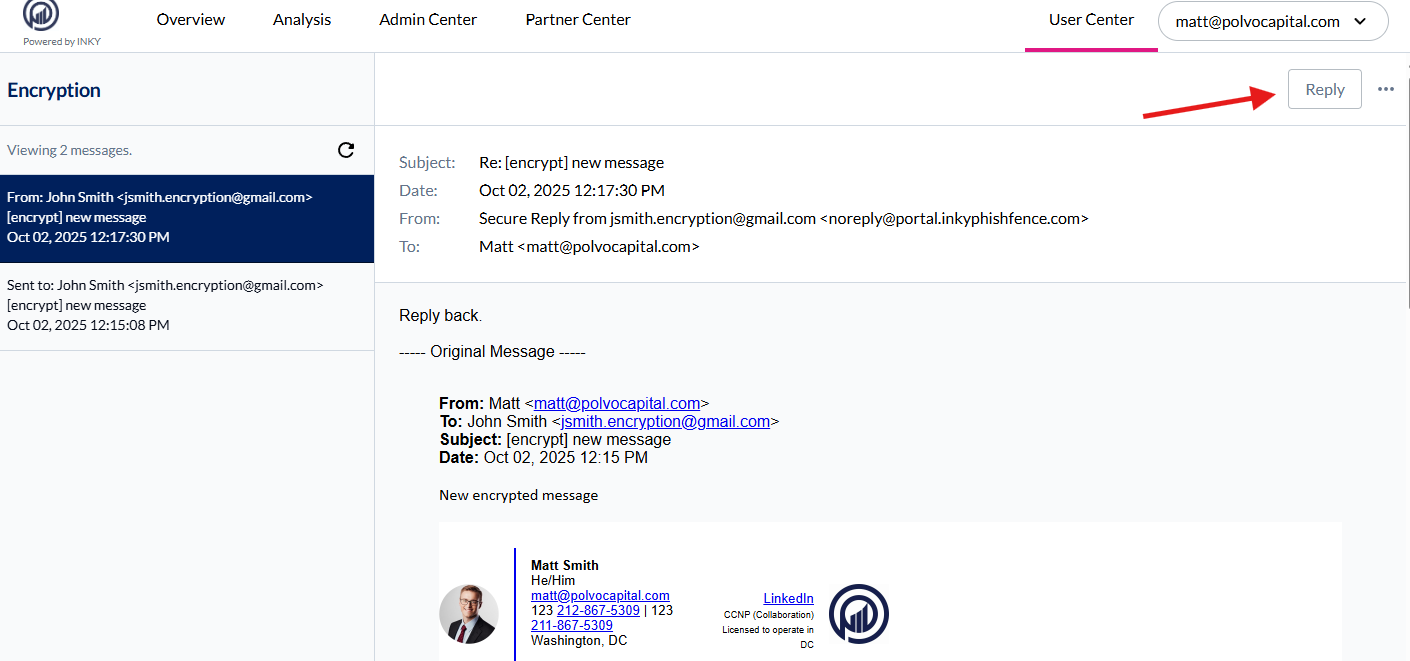
Key fact: Messages use 256-bit encryption and never traverse the public internet unprotected.
Recall and Delete sent message
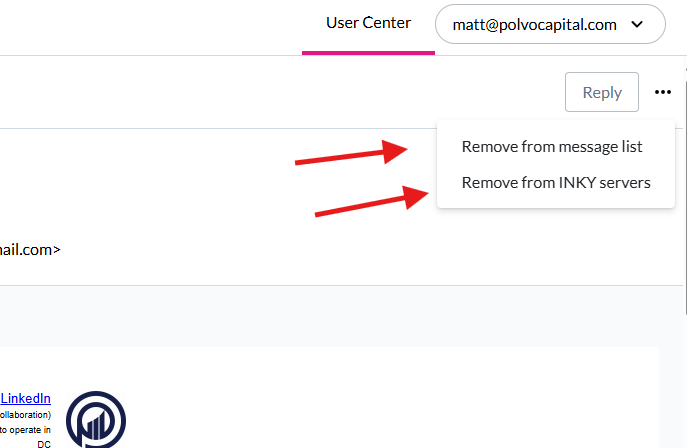
Using the “…” option next to Reply you can do the following
Remove from message list (remove from your list only)
Remove from INKY Servers (Hard delete)
Still need help? Ask the team