Personal Allow List & Block List
Customize how INKY handles specific senders for emails delivered to you individually.
Written By Matt Sywulak
Last updated 17 days ago
Access: User Center > Allow List or Block List
Allow List
Prevent INKY from assigning specific threat categories to trusted senders.
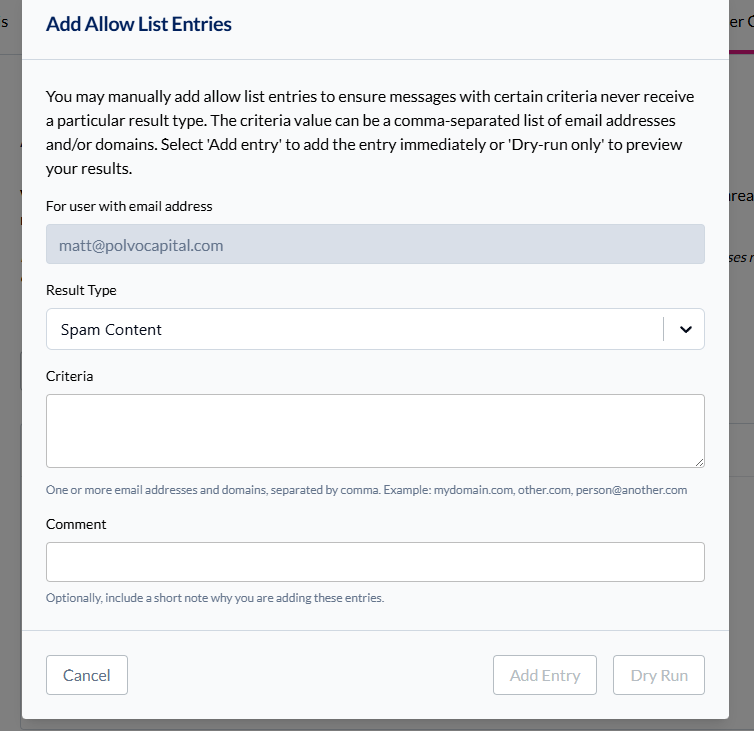
Example: Add sender@company.com with "Spam Content" result type to ensure their newsletters always reach your inbox with no spam warnings.
Add Entry: Specify sender address or domain, then choose which threat categories to never assign.
Enable/disable entries using the checkbox without deleting them.
Block List
Force INKY to always block specific senders or domains.
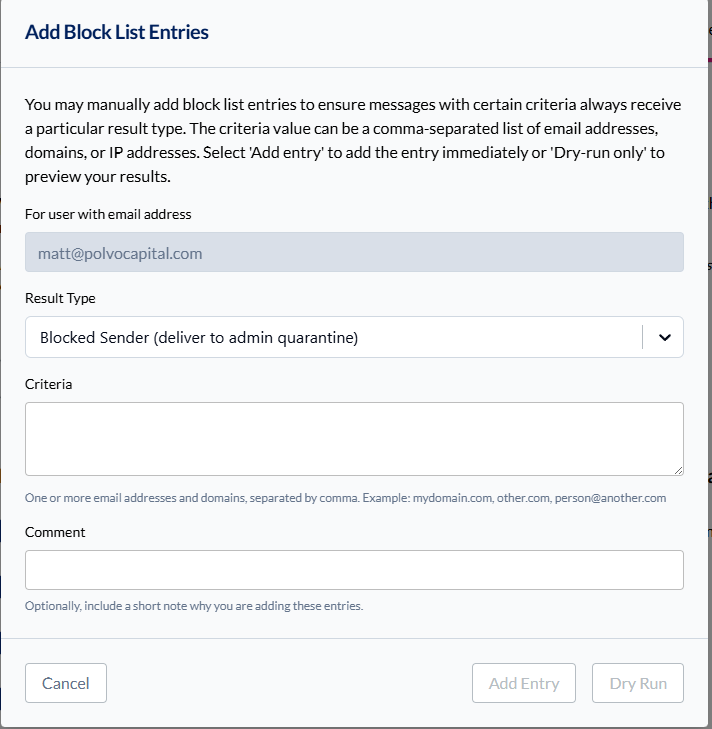
Blocked addresses go straight to quarantine regardless of content. Use this for persistent spam or unwanted senders that slip through.
Add Entry: Enter full email address or entire domain (e.g., spammer.com blocks all addresses from that domain).
Important Limitation
Personal lists only affect mail sent to you individually. Group emails or distribution list messages follow team-wide policies.
Available in: Both bundles
Still need help? Ask the team