Additional Analysis Settings
Configure specialized detection rules for QR codes, new domains, geographic blocking, and suspicious TLDs.
Written By Matt Sywulak
Last updated 9 months ago
QR Code Detection
Warn users about QR codes
Enabled: Any QR code triggers Caution or Danger banner based on decoded URL analysis.
QR code policy text - Custom message to display in QR code warnings. Leave blank to use INKY's default.
Linked URL - Optional link to your QR code security policy.
Domain Age Analysis
Maximum age for "newly registered" domain - Set 1-60 days (0 to disable). Domains registered within this timeframe get flagged as potentially suspicious.
Always consider Newly Registered Domain as Danger - Enabled: Red banner. Disabled: Yellow banner unless other threats detected.
Recommendation: 30 days catches brand-new phishing domains while minimizing false positives.
Geographic and TLD Blocking
Blocked Sender Locations
Select countries whose mail gets Danger level and Blocked Sender Location result. Mail identified as originating from these locations is automatically flagged.
Example: Russian Federation (RU)
Automatically block ccTLDs of selected locations - Blocks country code domains matching selected locations. Use carefully—Colombia (.co) and Montenegro (.me) have legitimate commercial use.
Block Many Countries
To enhance cybersecurity measures, teams may consider blocking certain countries while ensuring the United States remains accessible.
The User Interface (UI) accepts comma-separated values, allowing you to block multiple countries simultaneously with ease. Simply copy one of the country code lists provided below and paste it into the INKY dashboard, followed by pressing enter, to block all countries in the list.
We employ the ISO 3166-1 country codes for location-based sender blocking, which can be referenced here. To create a custom block list, please follow the examples below, copying and pasting your constructed list into the INKY dashboard.
Exercise caution when selecting countries like Colombia (.co) and Montenegro (.me) whose ccTLDs are widely used by numerous legitimate companies. While this list is not exhaustive, it provides an example of what may be inadvertently blocked should you opt to restrict these countries.
.tv - Tuvalu: Widely used by television and media-related websites.
.io - British Indian Ocean Territory: Popular among technology and startup companies because "IO" is commonly used as an acronym for input/output in IT.
.me - Montenegro: Often used for personal websites or blogs due to the word "me" being prevalent in English.
.ly - Libya: Used for domain hacks because "ly" is a common suffix (e.g., bit.ly ).
.ai - Anguilla: Gained popularity among AI (Artificial Intelligence) companies and startups.
.co - Colombia: Frequently used by companies as it resembles "com."
.fm - Federated States of Micronesia: Often used by FM radio stations.
.gg - Guernsey: Popular within the gaming community, as "gg" is commonly used to signify "good game."
.to - Tonga: Used for domain hacks and occasionally by Toronto-based entities.
.cc - Cocos (Keeling) Islands: Sometimes used as a generic code for Christian Church or Cycling Club.
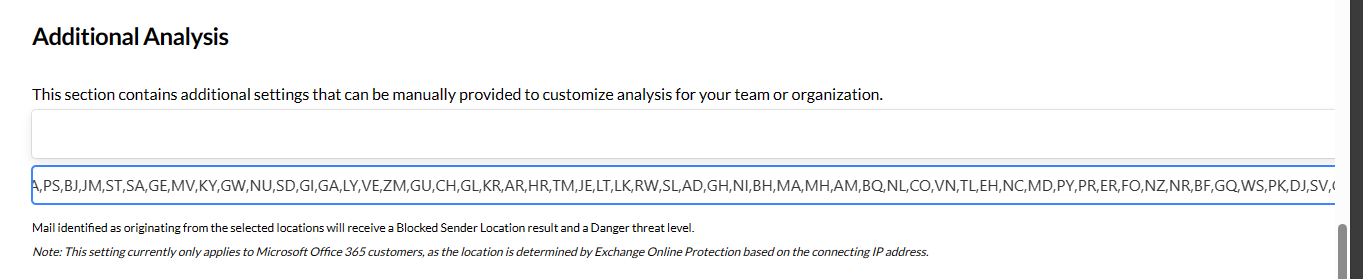
Block all countries except for the United States
Block all countries except for the United States
NA,PS,BJ,JM,ST,SA,GE,MV,KY,GW,NU,SD,GI,GA,LY,VE,ZM,GU,CH,GL,KR,AR,HR,TM,JE,LT,LK,RW,SL,AD,GH,NI,BH,MA,MH,AM,BQ,NL,CO,VN,TL,EH,NC,MD,PY,PR,ER,FO,NZ,NR,BF,GQ,WS,PK,DJ,SV,CK,AL,CV,TZ,TV,LS,TD,MN,UG,CM,AT,VA,VG,MR,IE,LI,NF,PW,SG,KE,UA,HK,GR,PT,BI,KP,AX,SY,HT,LA,LB,ZW,VC,CF,CD,SR,MO,ME,TT,QA,IO,MY,CX,TG,SS,ET,TW,MT,RO,CC,SB,DZ,MU,GM,CL,NG,MK,MM,TK,EE,HN,KH,FK,LV,UZ,BY,AS,AU,HM,PN,AG,YE,BG,TO,NP,BN,DK,AO,ID,LC,DO,BT,BE,ML,CG,BS,KM,GY,PH,SO,TC,TF,TH,UM,KW,PA,ZA,CW,SM,BO,AI,TR,LR,FJ,FI,GD,MG,IM,VU,CU,BM,BA,JO,HU,DM,KG,IR,CZ,AE,AF,IS,TN,PE,MS,MZ,TJ,MW,KZ,KI,SX,CY,IL,CA,BV,NO,SJ,LU,PF,AZ,OM,MP,PG,FM,SK,BZ,EC,MC,GT,GN,GS,BB,SI,CR,NE,AW,IQ,VI,AQ,BD,BW,GG,CN,SZ,MX,SC,SN,CI,EG,KN,UY,RS,IT,BR,PL,SE,IN,ES,JP,SH,GB,DE,FR,GF,GP,MQ,YT,RE,BL,MF,PM,WF,RU,XK
Visit Block Countries csv lists to copy pre-built csv block lists.
Blocked Top-Level Domains
Enter TLDs or public suffixes to block (one per line). Mail containing these in sender addresses, links, or image URLs gets Danger level.
Common examples: zip, top, xyz
Matches found in: MAIL FROM envelope, From/Reply-To headers, link URLs, image URLs.
SharePoint and OneDrive Link Warnings
Enable warnings for external SharePoint/OneDrive links - Flags links to SharePoint/OneDrive sites outside your organization.
Trusted Microsoft tenant domains - Enter tenant names to suppress warnings (without -my.sharepoint.com). Your own <domain>.onmicrosoft.com tenants are automatically trusted.
Example: Enter contoso to trust contoso-my.sharepoint.com
Available in: All bundles
Still need help? Ask the team