Enable Graymail filtering for Google Workspace
Written By Michel Young
Last updated 12 months ago
With INKY Graymail feature enabled, INKY will add the word Graymail to the banner. This will allow users to use Google’s filtering feature to have graymail messages skip the Inbox and be assigned the Graymail label.
Create a Filter
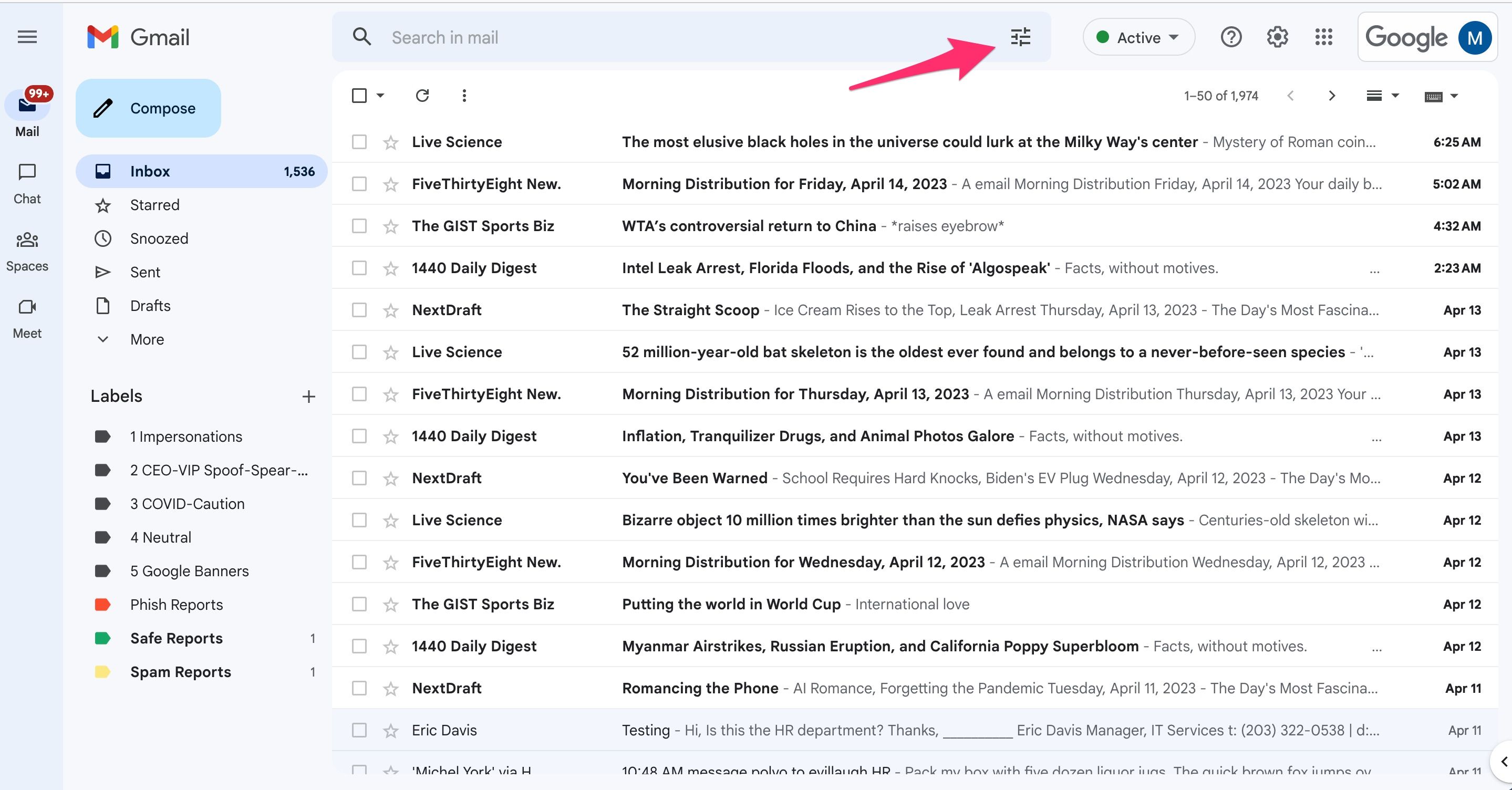
First select the Filter button in the Google message UI.
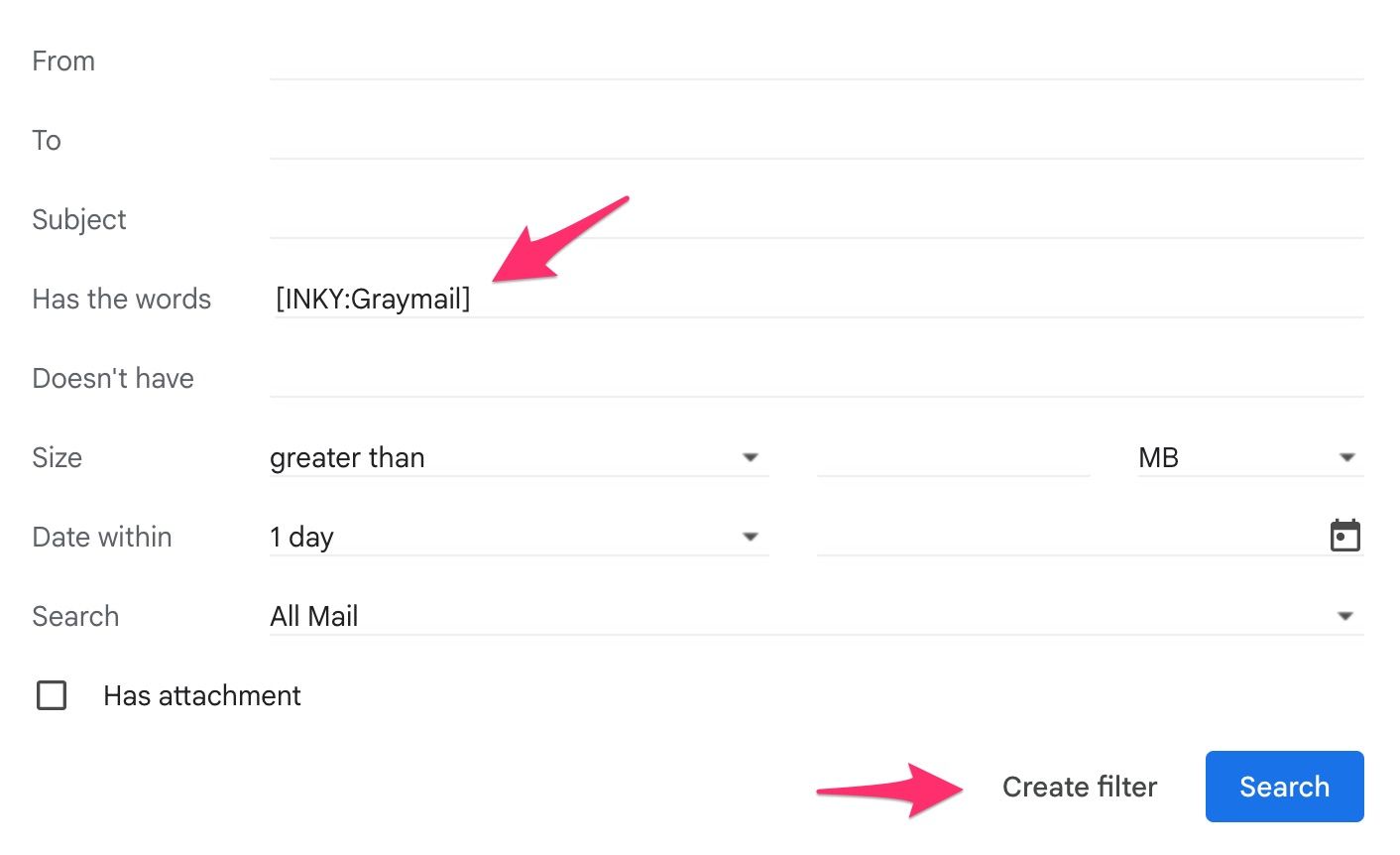
In the Has the words section type [INKY:Graymail] and click on the Create filter button. Yes, please include the square brackets for the filter.
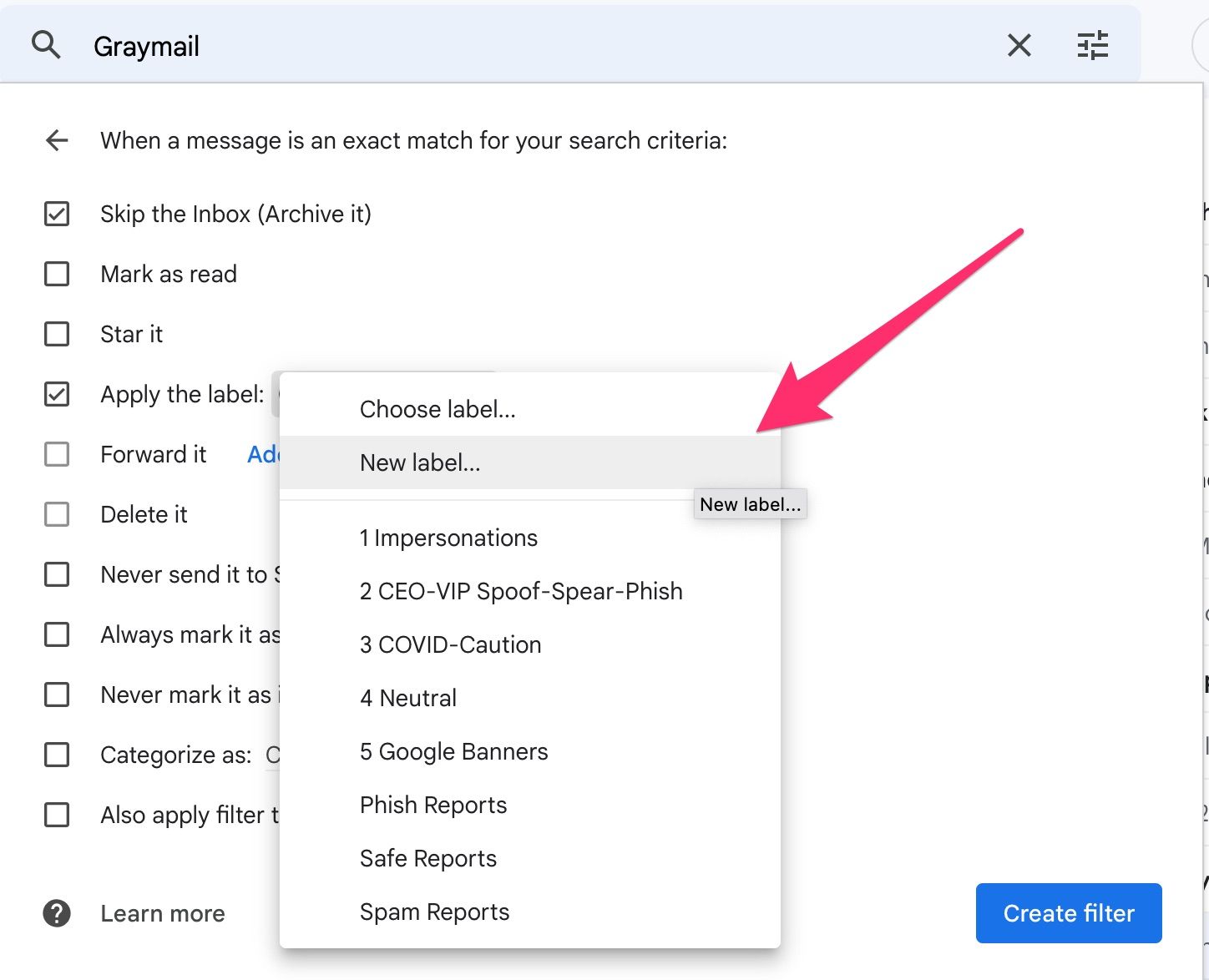
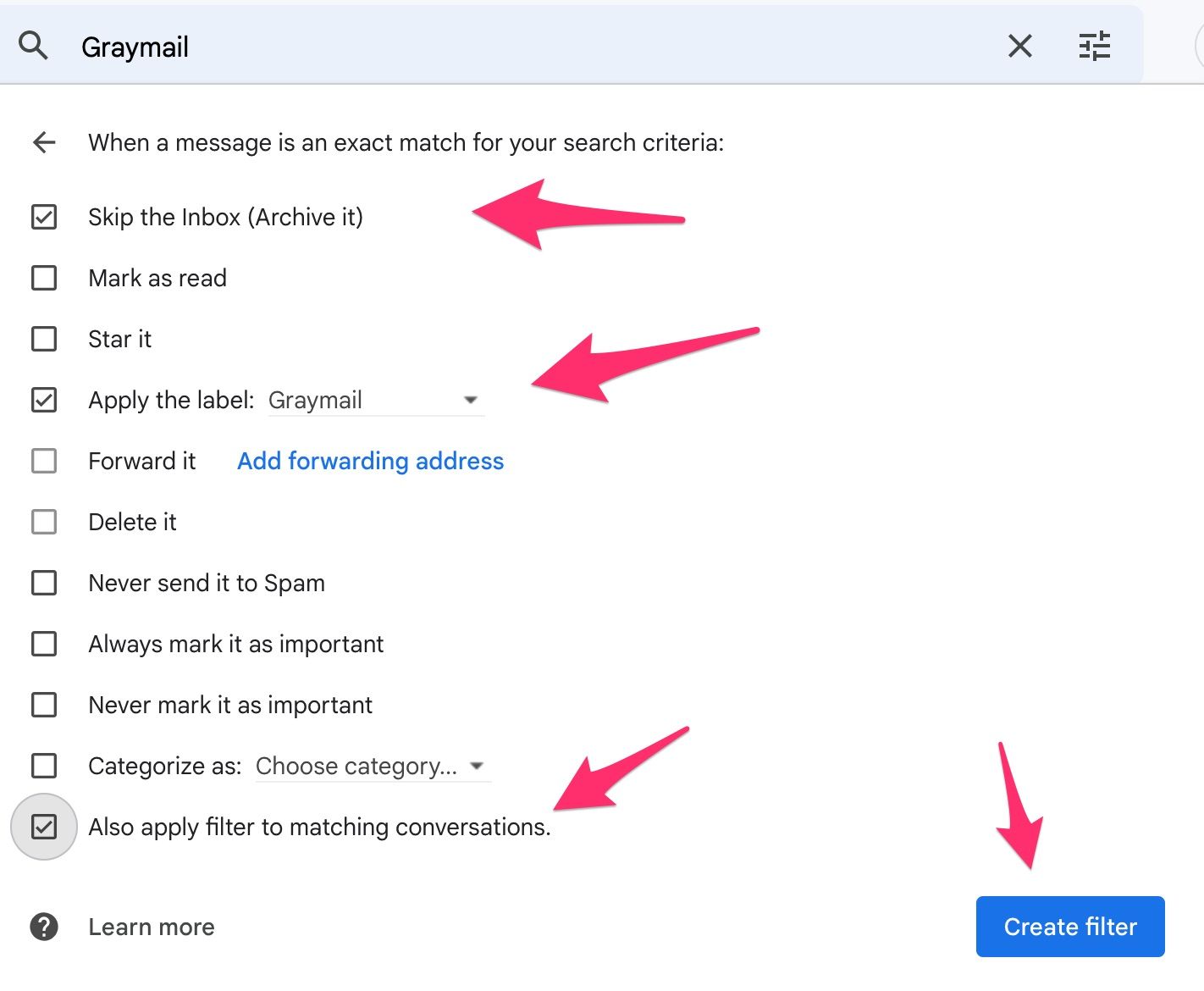
Select the following:
Skip the Inbox (Archive it)
Apply the label:
New label…
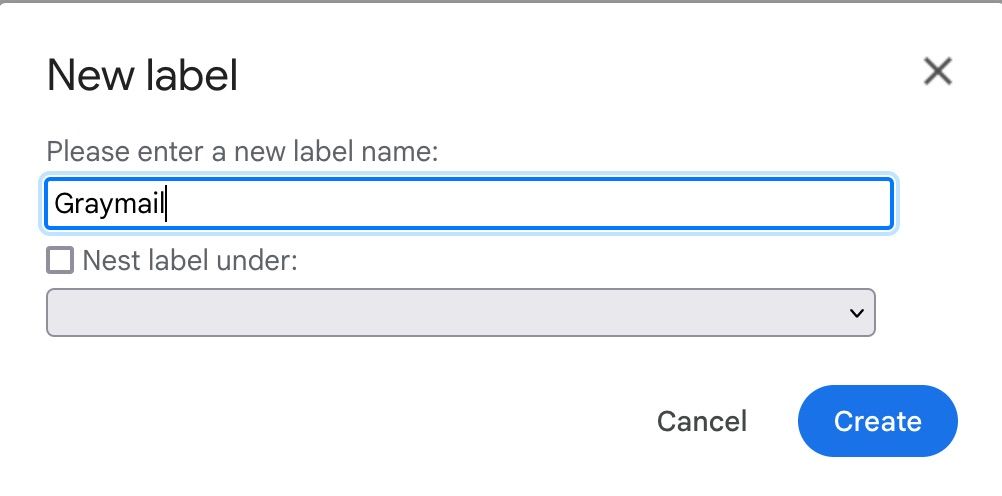
Type Graymail for the new label.
Finally select Also apply filter to matching conversations and click on the Create filter button.
You’re done! Messages that are labeled as Graymail will now be filtered to this label/folder in all messaging UI you use to read your email in Google.
Still need help? Ask the team