Google Workspace
The Google Workspace setup process is now streamlined. You can generate and redeem an INKY license directly from the Partner Center. After completing the initial configuration, return to the installation guide to finish the setup.
Written By Matt Sywulak
Last updated 10 months ago
Redeem a License
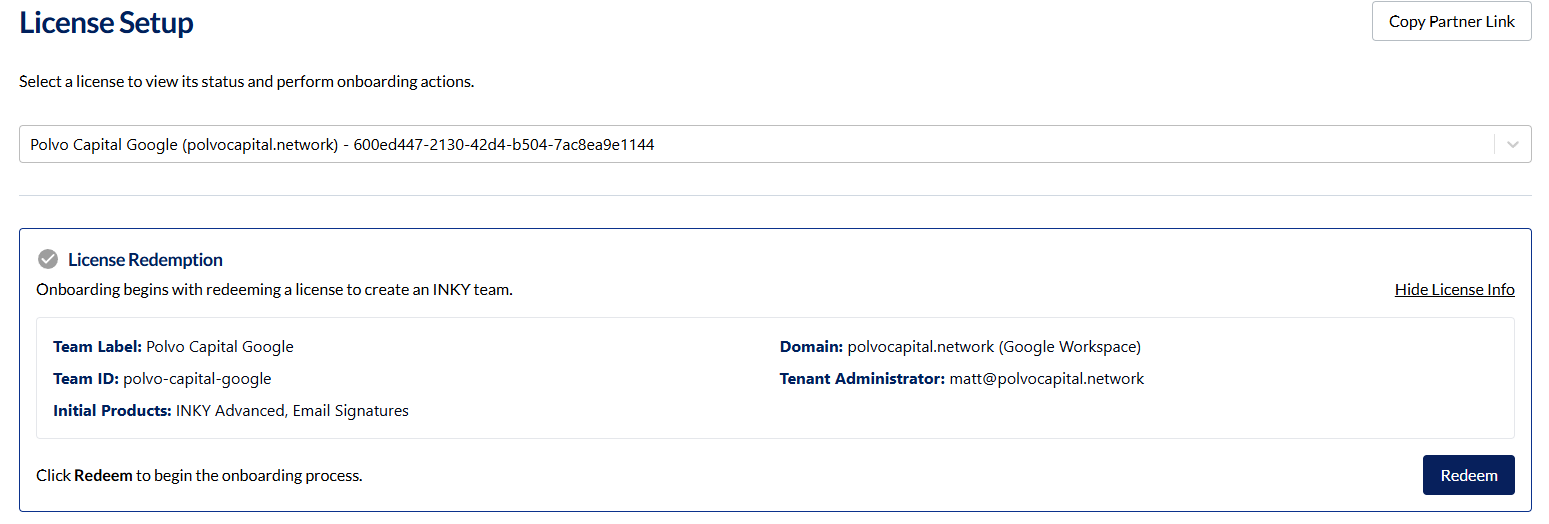
Select and Redeem
Go to Team Setup - INKY
Choose the appropriate license for your team.
Click Redeem to create the INKY team.
Copy Admin Link (Optional)
After redemption, a green check mark appears.
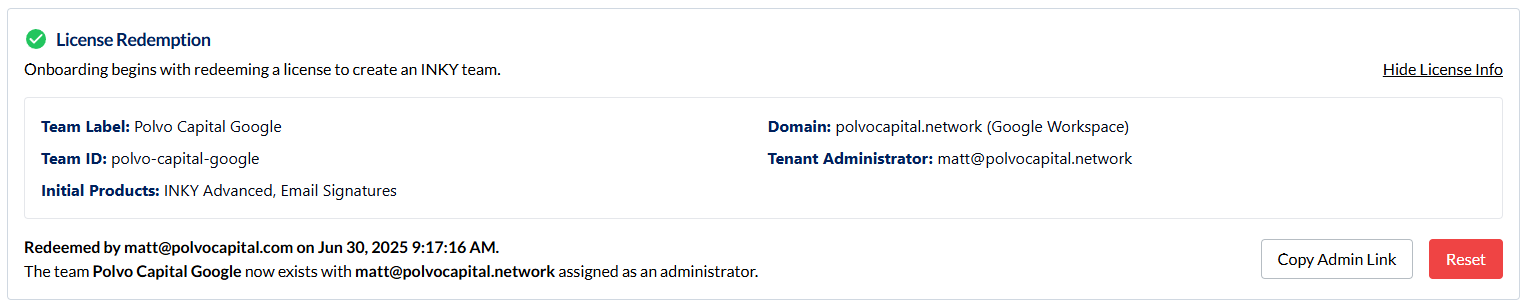
Click Copy Admin Link to send to a customer who will perform the remaining Google Workspace steps.
If you need one of your customers to provide the access to INKY (you don’t have access to their Google Workspace tenant) then you can click the Copy Admin Link and provide to them. Instead of you going through the next steps of API Access they’ll do.
API Access
Requires Global Admin privileges in Google Workspace.
If You Have Global Admin Access
Log in to Google Workspace at https://admin.google.com
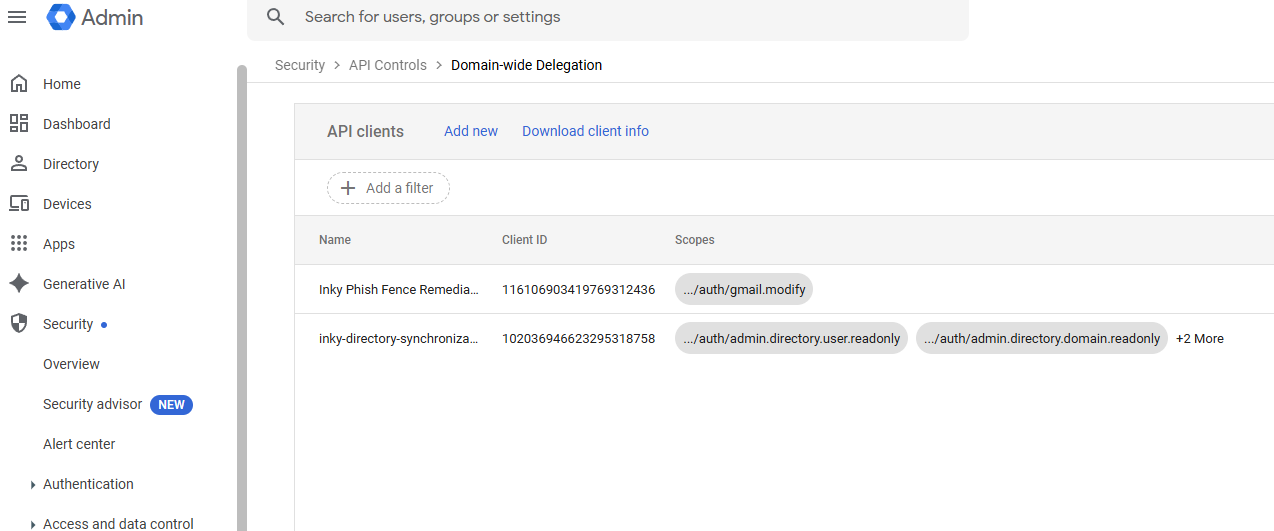
Navigate to Security > Access and data control > API Controls > Domain-Wide Delegation Console
Click Add New
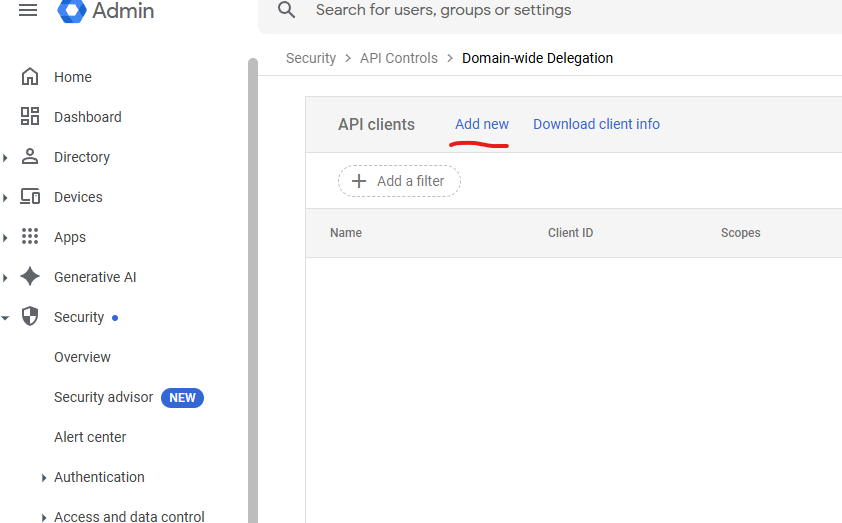
Create API Clients
Use the Client ID and scopes for:
Domain & Directory Access
Remediation Access
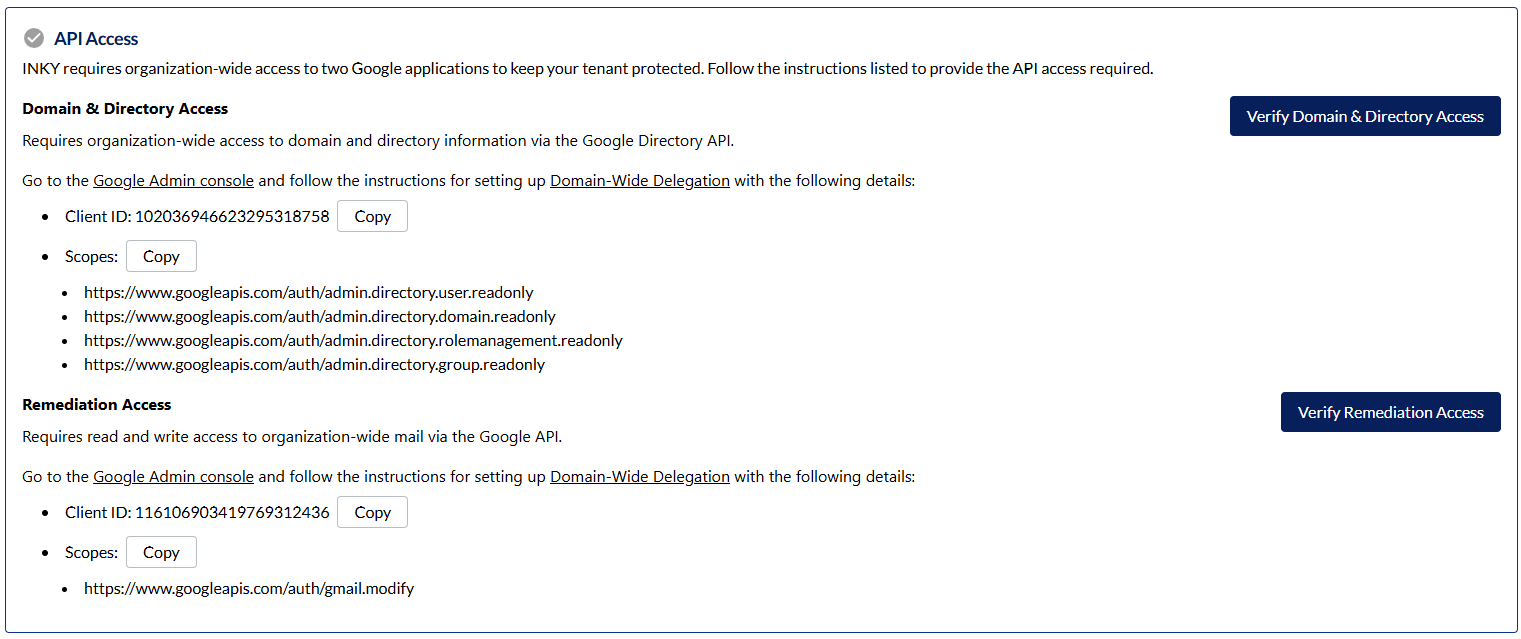
Create two separate API clients (one per scope).
Verify in Partner Center
Return to the Team Setup page.
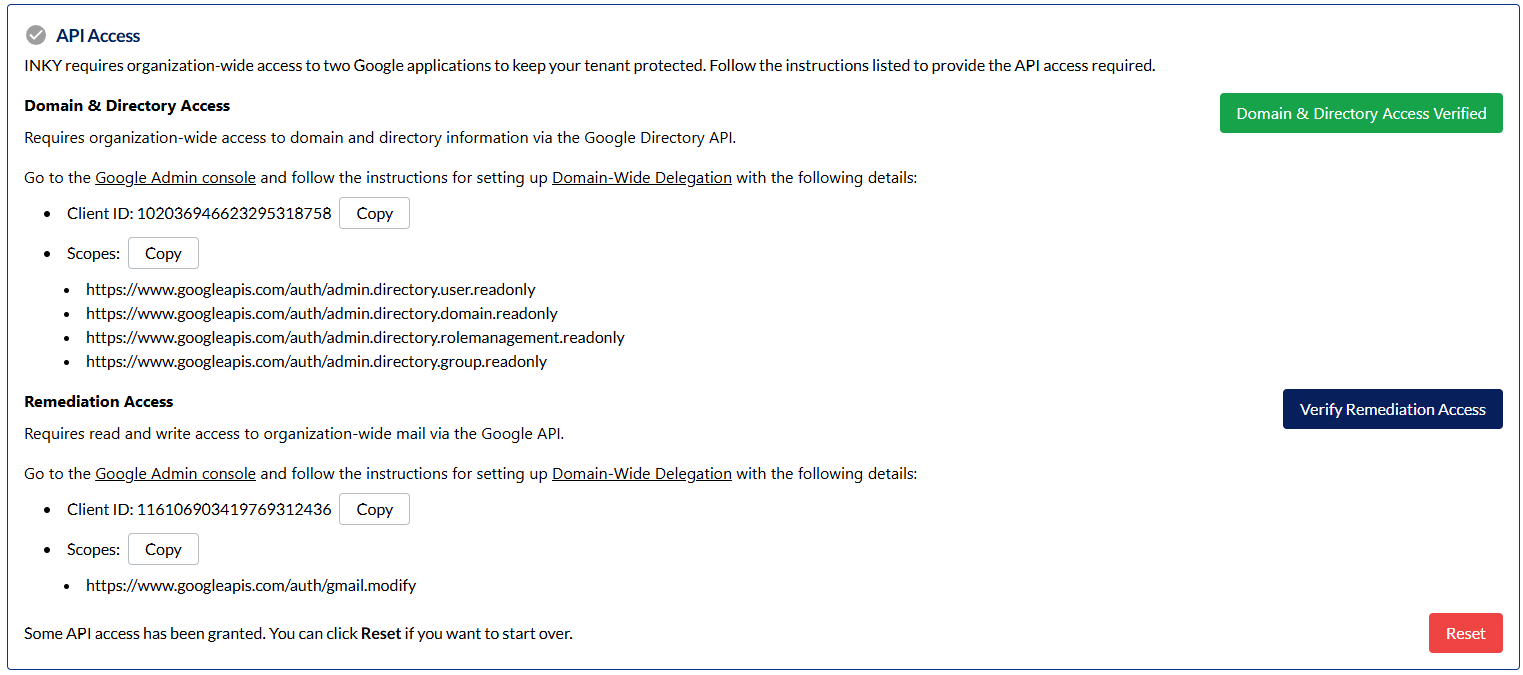
Click Verify Domain & Directory Access and Verify Remediation Access.
Wait for both checks to turn green (this may take time for Google Workspace to propagate settings).

Team Configuration
Update Protected Domains
By default, only the domain entered during license generation is covered.
Click Update Team to include all domains in your Google Workspace.

Confirm that the Team Configuration section shows a green check mark.

Installation
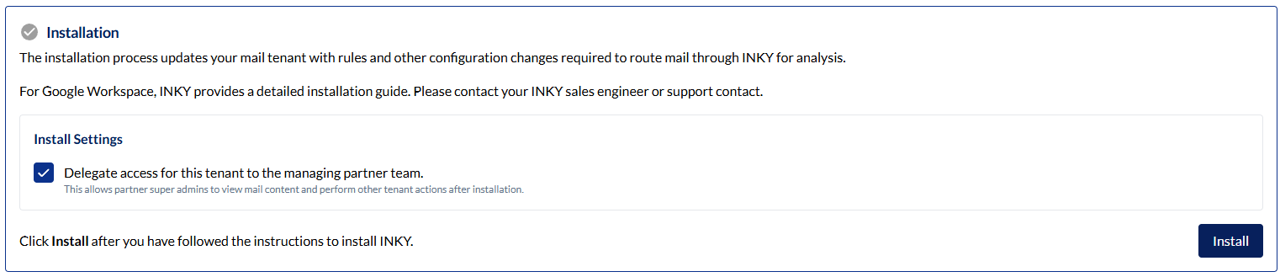
Complete Google Workspace Install
Follow the remaining steps in our Google Install guide.
Confirm Installation
After installation, revisit the Team Setup page.
Verify that the install is detected and that access has been delegated to the parent team as required.
Completed!
You have now successfully set up INKY for Google Workspace. For further assistance, please contact support@inky.com.

Still need help? Ask the team