Set Up Workflow Approvers
Workflow approvers review and approve outbound messages that match OMP rules. Define sender-to-approver relationships to automate routing.
Written By Matt Sywulak
Last updated 5 months ago
Configuring Approvers
Navigate: Admin Center → Outbound Protection Settings → Workflow Approvers
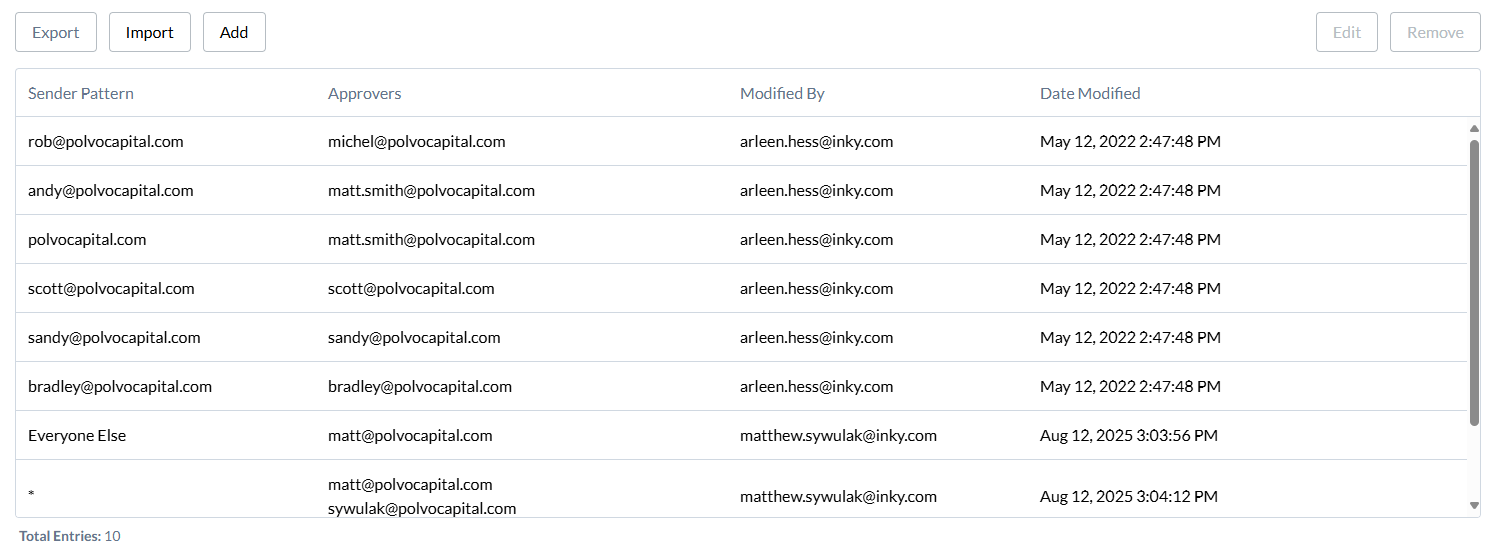
Adding Approvers
Click Add
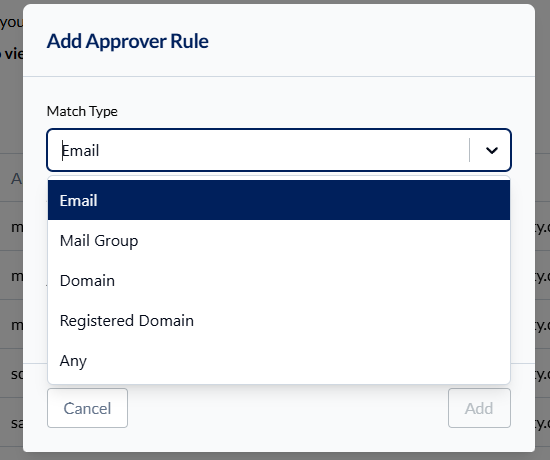
Choose Sender Pattern type:
Email - Specific email address (joe@company.com)
Group - Members of a group (pulled via Domain and Directory API)
Domain - Full domain match (company.com, not support.company.com)
Registered Domain - Root domain and all subdomains (*.company.com)
Any - Wildcard pattern (finance matches finance@company.com)
Enter sender pattern
Select Approvers (supports multiple)
Save
Importing in Bulk
Use CSV import for large lists:
Click Import
Upload CSV with columns: Sender Pattern, Approvers
Review mappings
Confirm import
Approver Precedence
When a sender matches multiple patterns, INKY uses this order:
Rule-specific approvers (set in rule action settings)
Email (exact match)
Mail Group (M365 group membership)
Domain (full domain match)
Registered Domain (includes subdomains)
Any (wildcard pattern)
Default (fallback approvers)
No Match (sender approves their own message)
Default Approvers
Set fallback approvers who receive requests when no pattern matches:
Select default approvers
These approvers see ALL messages without specific matches
Note: Default approvers can view all team messages in Workflow Portal.
Multiple Approvers
Assign multiple approvers to share responsibility:
All approvers receive notifications
Any approver can approve the message
First approval releases the message
Best Practices
Start with defaults - Ensure someone always reviews messages
Use groups for departments - Finance group approves finance-related data
Manager hierarchies - Map direct reports to managers
Audit regularly - Remove approvers for departed employees
Still need help? Ask the team