Pre-built Reports
Pre-built reports for tracking threat patterns, user engagement, and risky behavior.
Written By Matt Sywulak
Last updated 12 months ago
Location: Analysis dropdown
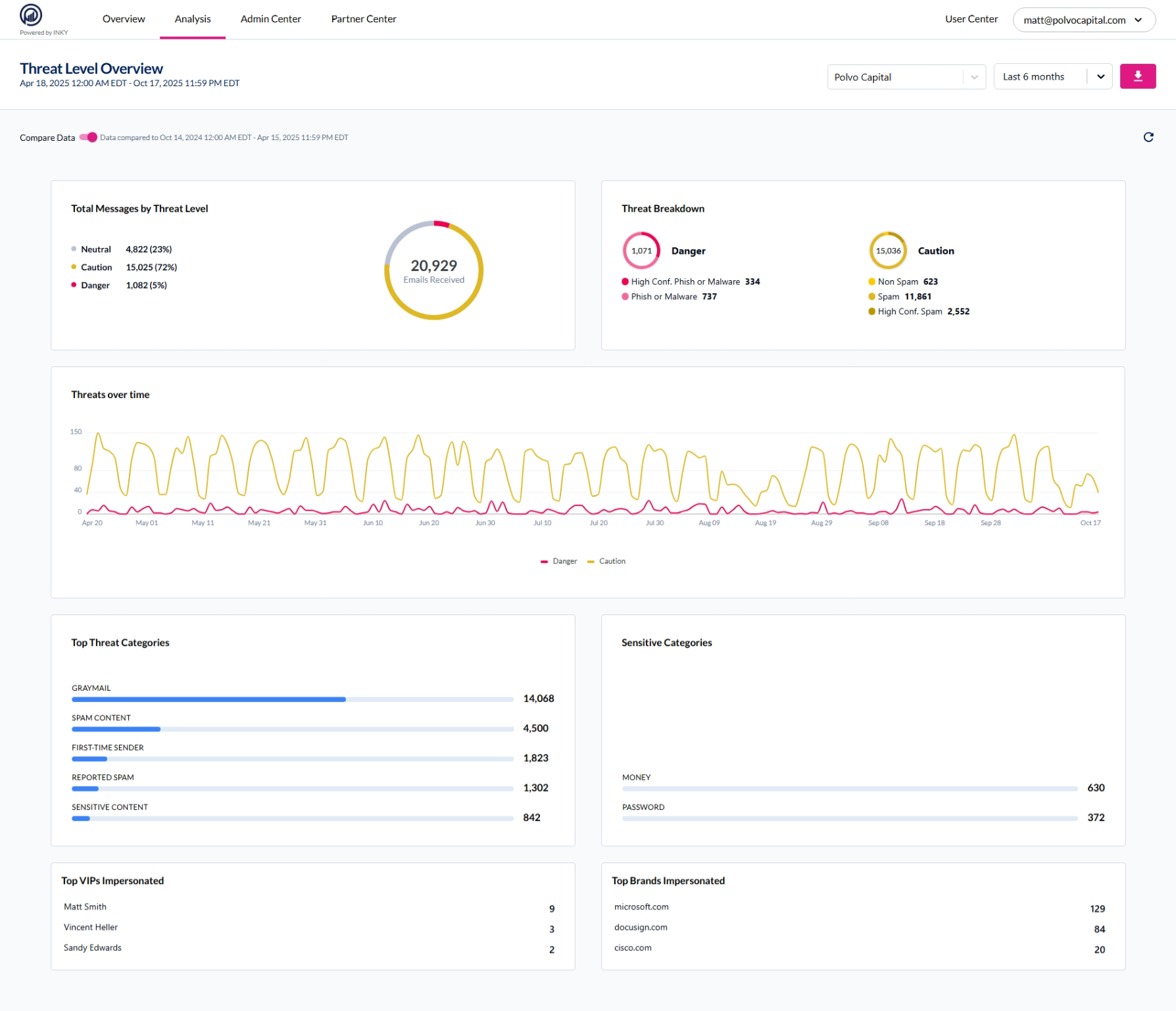
Threat Level Report
View threat distribution and trends to identify attack patterns and campaign spikes.
What it shows:
Threat distribution pie chart (Neutral, Caution, Danger percentages)
Volume over timeline graph
Top recipients receiving threats
Top sender domains
Threat categories breakdown
Use for: Spotting sudden phishing campaign spikes, tracking attack volume changes
User Reporting
Track which users report threats via Quick Action banner links. High reporting rates indicate engaged, security-aware users.
What it shows:
Top reporters by volume
Report volume over time
Report labels (Safe, Spam, Phishing)
Reports by team (MSP view)
Report accuracy (confirmations vs. rejections)
Use for:
Identifying security champions
Finding teams needing training
Tracking awareness campaign effectiveness
Spotting users who never report
Link Clicks Report
Monitor when users click rewritten links to identify risky behavior.
Prerequisite: Link Rewriting must be enabled
What it shows:
Click volume over time
Top clickers by user
Most clicked links
Clicks by threat level
Clicks by link reputation (safe, suspicious, malicious)
Use for:
Identifying users clicking dangerous links
Tracking clicks during active campaigns
Measuring banner warning effectiveness
Finding repeat clickers needing intervention
Note: Only tracks rewritten links. Domains excluded from rewriting won't appear here.
Common Features
All reports include:
Date range filters - Preset or custom timeframes
Team selector - Switch between organizations/teams
Clickable data - Click any element to drill into Observations with that filter
Export - Download as PDF
Available in: Both bundles
Still need help? Ask the team