Sign-In Events
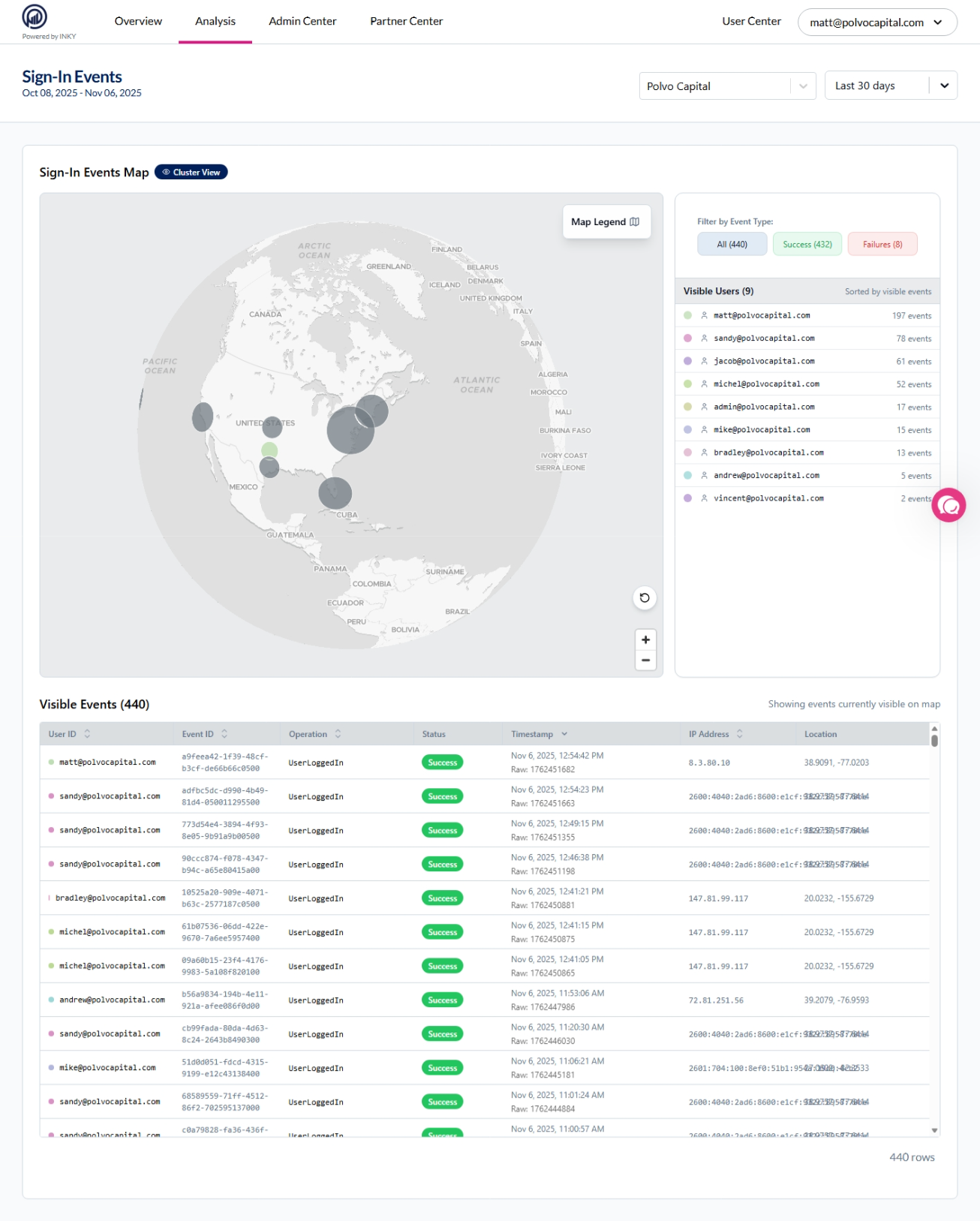
The Sign-In Events page provides visibility into user authentication activity, helping detect compromised accounts and investigate suspicious access attempts.
Written By Matt Sywulak
Last updated 11 months ago
What It Tracks
User sign-in attempts - Both successful and failed authentication events
Sign-in locations - Geographic location and IP addresses
Device information - Device types and operating systems
Application data - Which applications users accessed
Key Use Cases
Detect compromised accounts - Identify unusual sign-in locations or impossible travel patterns
Investigate suspicious access - Review failed authentication attempts and anomalous behavior
Monitor authentication patterns - Track normal vs. abnormal sign-in activity across your organization
Access the Page
Navigate to https://app.inkyphishfence.com/sign-in-events
Prerequisites
Activity Feed must be enabled before Sign-In Events can collect data.
Enable Activity Feed:
Navigate to Admin Center > Domain & Directory Access > Activity Feed
Enable the Activity Feed toggle
Save settings
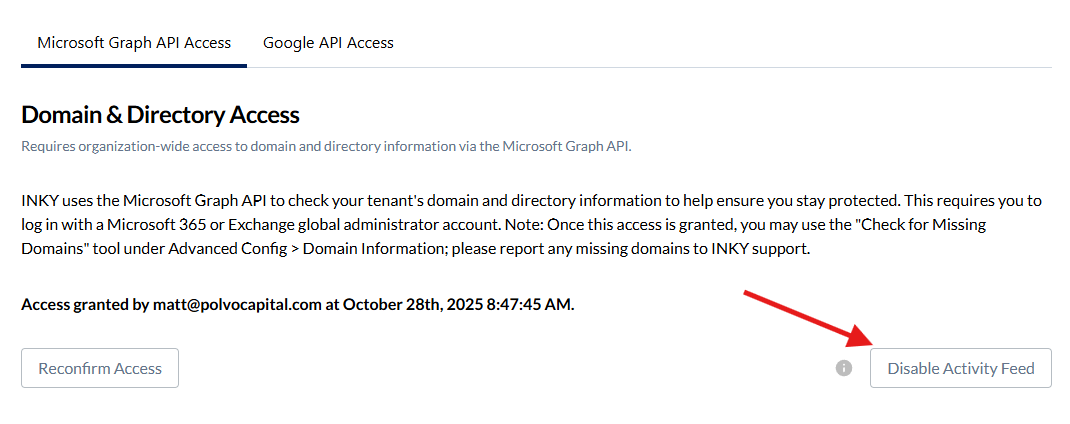
Data collection begins immediately after enabling. Historical data before enabling is not captured.
Using Sign-In Events
The interface displays recent authentication activity with:
User email address
Sign-in timestamp
Location (city, country)
IP address
Success/failure status
Device and application details
Filter and search by user, date range, or status to investigate specific events.
Export data for detailed analysis or compliance reporting.
Security Monitoring
Look for these indicators of potential compromise:
Sign-ins from unexpected geographic locations
Multiple failed attempts followed by success
Sign-ins from unfamiliar IP addresses
Concurrent sessions from distant locations
After-hours access from unusual locations
Important Notes
Sign-In Events is not available on legacy SKUs. Organizations must be on INKY Standard, Professional, Advanced, or Kaseya INKY Advanced/Pro.
If Activity Feed was recently enabled, allow up to 15 minutes for initial data collection to begin appearing.
Available in: INKY Standard, Professional, and Advanced SKUs (Microsoft 365 only) and Kaseya INKY Advanced and Pro
Still need help? Ask the team