Top Navigation Menu
The main navigation bar provides access to all major INKY sections.
Written By Matt Sywulak
Last updated About 2 months ago
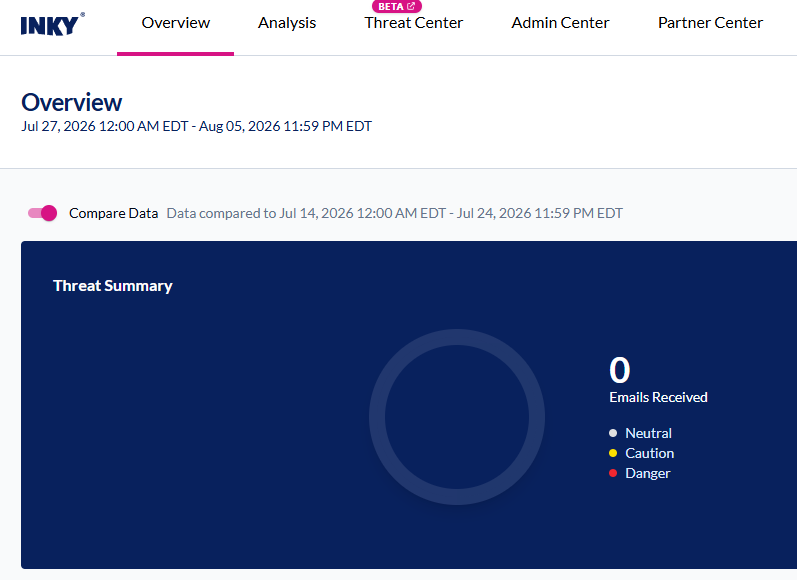
Overview
Your security dashboard. View threat metrics, user reporting activity, top attackers, and trend analysis. Start here to monitor your environment's security posture.
Analysis
Deep dive into email processing and threat intelligence. View detailed Observations (individual email analysis), Threat Level reports, User Reporting activity, Link Clicks, Quarantine, DMARC Monitoring, Sign-in Events, and Custom Dashboards. This is where you investigate specific threats and user behavior.
Threat Center
Your working queue for mail that needs a decision. Each tab carries a live count so you can go straight to what needs attention: Reported Mail, Message Deletions, Burst Management, Outbound Protection (Account Takeover enforcements), and Cases. Tabs appear only when the matching feature or entitlement is enabled for your team. See Using the Threat Center Page.
This page was called Triage before the v1.9.5 dashboard release.
Admin Center
Manage users, policies, and administrative settings. Configure VIP lists, allow/block lists, admin accounts, integrations, and team settings. Super Admins access the Audit Log here.
Partner Center
MSP and partner management tools. Create and manage customer organizations, view multi-tenant dashboards, track usage and billing (for Kaseya partners), and access partner-specific features. Only visible to partner/MSP accounts.
User Center
End-user quarantine access. Users can review quarantined emails, release safe messages, and report threats. Accessible via the email link or direct login at the User Center URL.
Your current team and email are shown in the top-right corner.
Still need help? Ask the team