Microsoft 365 Groups Migration
INKY now supports migration from legacy mail-enabled security groups to Microsoft 365 Groups, unlocking advanced management capabilities and modernizing your email security infrastructure.
Written By Matt Sywulak
Last updated 11 months ago

Why Migrate:
Microsoft 365 Groups provide enhanced functionality and tighter integration with Microsoft's ecosystem. This migration positions your organization for future INKY capabilities while maintaining all existing protections. You'll also be able to manage group membership directly in the new Group Management Interface.
How to Migrate:
Navigate to Admin Center > Tenant Operations > Operations
Click Start Groups Migration button
Review migration summary and confirm
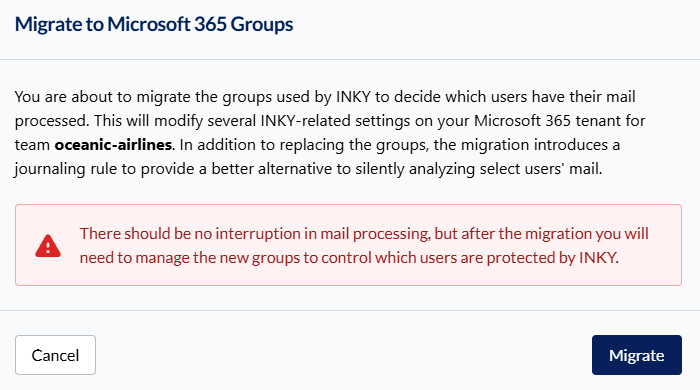
Migration process runs automatically in the background
User assignments transfer seamlessly to new group structure
Important: Migration is a one-way process. Once completed, your configuration will use Microsoft 365 Groups for all user management operations. Existing protections remain active throughout the migration.
Still need help? Ask the team