Testing & Adding Users
Written By Michel Young
Last updated 9 months ago
Testing Your INKY Installation
Before adding all users to the ipw-group, test your installation.
Test Scenario - INKY banner to individual user
Add the administrator account as a member of the ipw-group.
Send a message from an external email address to the administrator’s account (the incoming message should have a banner).
Reply to the message (the banner should be removed on the incoming reply).
Test Scenario - INKY banner to google groups
Find a google group that is public facing (can receive email from the outside).
If there is no existing public facing group, create one.
Add that administrator account as a member of the public facing google group.
Send a message from an external email address to that group (the incoming message should have a banner and indicate that the message came from the group).
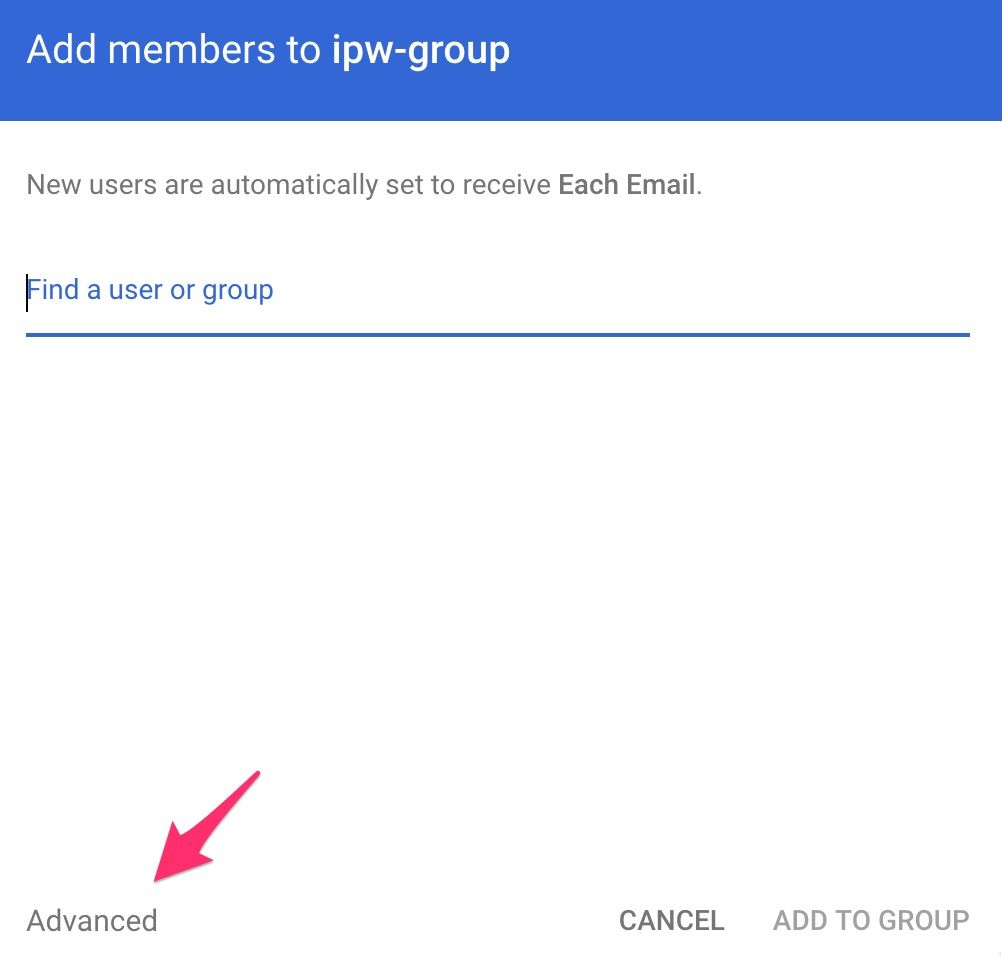
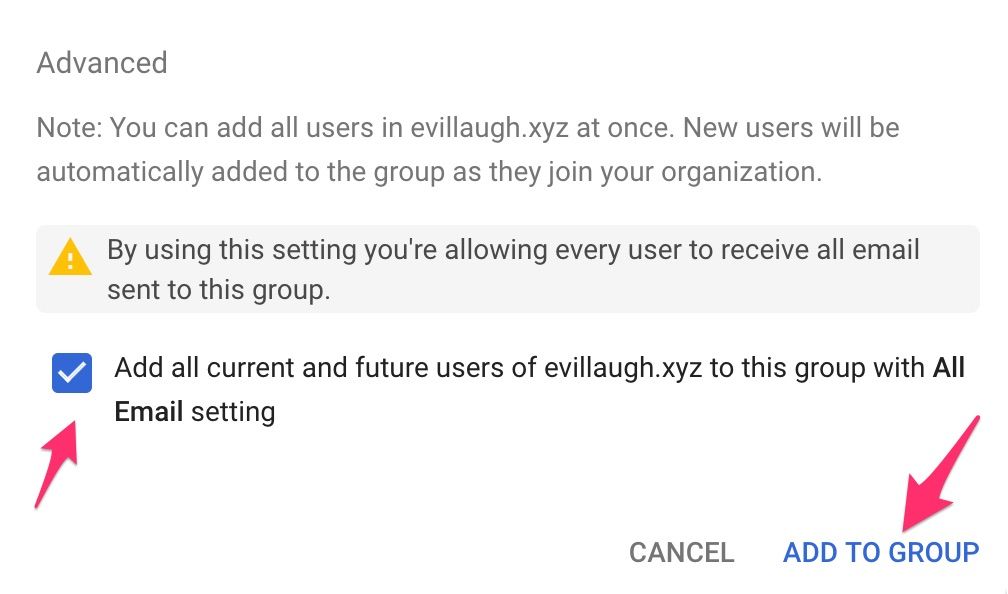
Adding Users
Directory → Groups → ipw-group

Previous Page
Next Page
Still need help? Ask the team