Smart Insights
Written By Matt Sywulak
Last updated 4 days ago
Smart Insights uses a large language model (LLM) to provide deeper analysis of email threats. When enabled, INKY submits message content to the LLM for evaluation as part of its analysis pipeline — producing richer threat assessments, verdicts, and detailed explanations of why a message was flagged.
Smart Insights is enabled by default for all teams. The setting is a per-team opt-out, giving administrators the ability to prevent a specific team's email from being submitted to the LLM if required by internal policy or compliance requirements.
Smart Insights is currently in a closed beta. Targeting Q3 2026 official release.
Data handling
Submitted content stays within INKY infrastructure.
Message content is not used to train INKY or any third-party systems.
Disabling Smart Insights for a team ensures that team's mail is never sent to the LLM at any phase of analysis.
The Smart Insights button
On the Observation page for any inbound message, a Smart Insights button appears in the action bar — styled with a dark blue-to-fuchsia gradient and a sparkle icon. Clicking it opens the Smart Insights panel for that message.
[image placeholder - The Observation page action bar showing the Smart Insights button with its fuchsia gradient and sparkle icon, positioned among the other message action buttons]
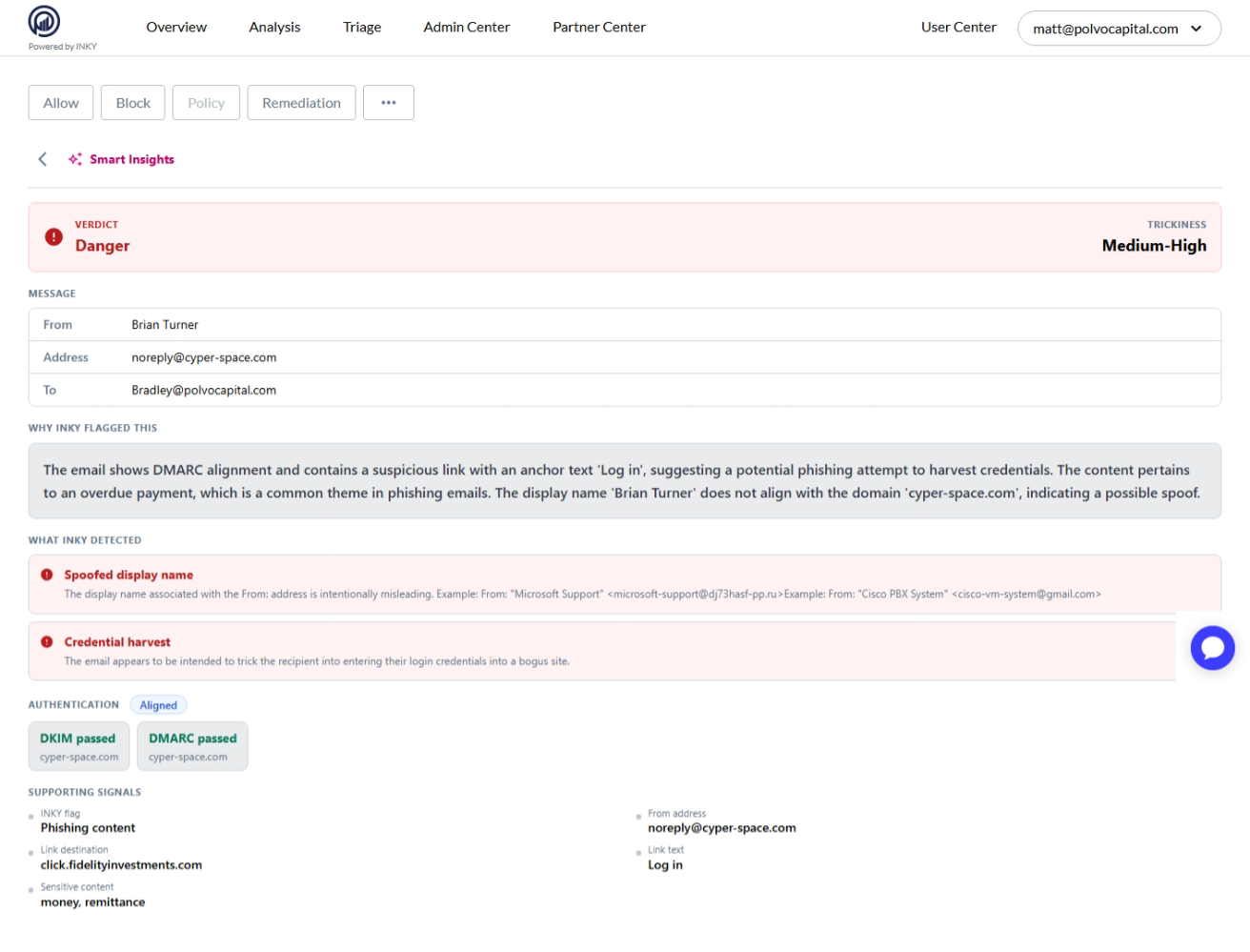
The panel runs a deep-dive analysis and presents results in sequence:
Verdict — an LLM-generated threat assessment (e.g., phishing, suspicious, safe)
Trickiness — a rating of how deceptive or sophisticated the message is
Explanation — a detailed, streamed narrative explaining the signals that led to the verdict
Signal details — supporting evidence from the message content and metadata
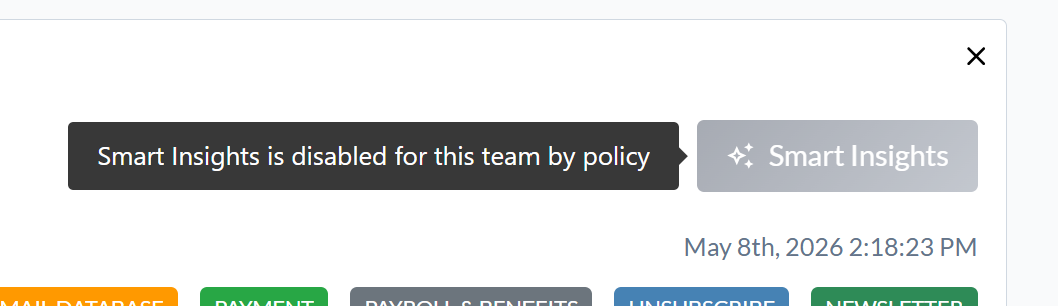
Disabled-by-policy state
If Smart Insights has been disabled for the team, the Smart Insights button still appears in the action bar but is grayed out. Hovering shows a tooltip: "Smart Insights is disabled for this team by policy." Admins can re-enable it in Analysis settings.
Disabling Smart Insights for a team
The setting is in Settings → Analysis → Smart Insights.
Uncheck Enable Smart Insights for this team to opt the team out. When disabled, INKY uses only its standard (non-LLM) analysis for that team's inbound email — threat detection continues normally, but without the LLM layer. The Smart Insights button on the Observation page will appear grayed out for messages from this team.
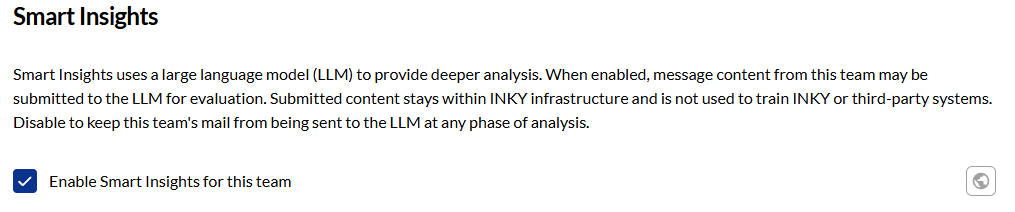
To re-enable Smart Insights, check the box again and save.
Impact of disabling
Disabling Smart Insights affects analysis depth but does not affect whether INKY protects the team's email. Standard phishing detection, spoofing checks, banner insertion, and all other INKY features continue to operate normally. The LLM layer adds additional signal and richer explanation — disabling it removes that layer only.
Inheritance
Smart Insights settings follow INKY's standard policy inheritance. If disabled at an organization level, child teams inherit the opt-out unless overridden at the team level.
Requirements
Smart Insights is available on INKY Pro plans.