OCR in Outbound DLP Scans
Written By Matt Sywulak
Last updated 3 months ago
OCR in Outbound DLP Scans enables optical character recognition (OCR) on image attachments during outbound DLP scanning. Without OCR, text embedded in images — such as screenshots of documents, photos of whiteboards, or scanned forms — is invisible to INKY's content policies. With OCR enabled, that image text is extracted and scanned like any other message content.
Because OCR adds a processing step, enabling it may increase outbound mail delivery latency. Test in a low-volume environment before rolling out broadly.
Enabling OCR
The setting is in Settings → Outbound Protection, within the outbound rule conditions area.
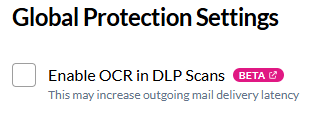
Check Enable OCR in DLP Scans. When enabled, OCR runs on image attachments for all outbound messages processed by DLP on this team.
What gets scanned
When OCR is enabled, INKY extracts text from image attachments (JPEG, PNG, and similar formats) and evaluates it against your DLP policies — the same keyword matching, pattern detection, and content classification that applies to the message body. This closes the gap for content that would otherwise bypass DLP because it was embedded in an image rather than written as text.
Performance considerations
OCR adds processing time per image. Emails with multiple image attachments will take longer to process.
Delivery latency impact depends on attachment size, image count, and current system load.
Requirements
Outbound Analysis entitlement.
Still need help? Ask the team