Link Rewriting
INKY rewrites all links in emails to route clicks through real-time analysis. This catches threats that become active after delivery and helps users evaluate risks before reaching dangerous sites.
Written By Matt Sywulak
Last updated About 1 month ago
How It Works
INKY rewrites every URL in incoming emails. When users click, the request goes through INKY first for deep analysis. The system checks threat intelligence, follows redirect chains, and either allows access or shows a confirmation page based on threat level.
Time-of-click protection stops attacks that activate after email delivery. Phishing sites frequently change or go live hours after the initial email to evade delivery-time scans.
IMPORTANT: Using more than one link-rewriting service can result in unexpected behavior. If another link-rewriting service is enabled in your environment, it is strongly recommended that you disable either that service or INKY link rewriting.
Configuration
Settings > Markup > Link Rewriting
Enable link rewriting - Turns on URL rewriting for all emails
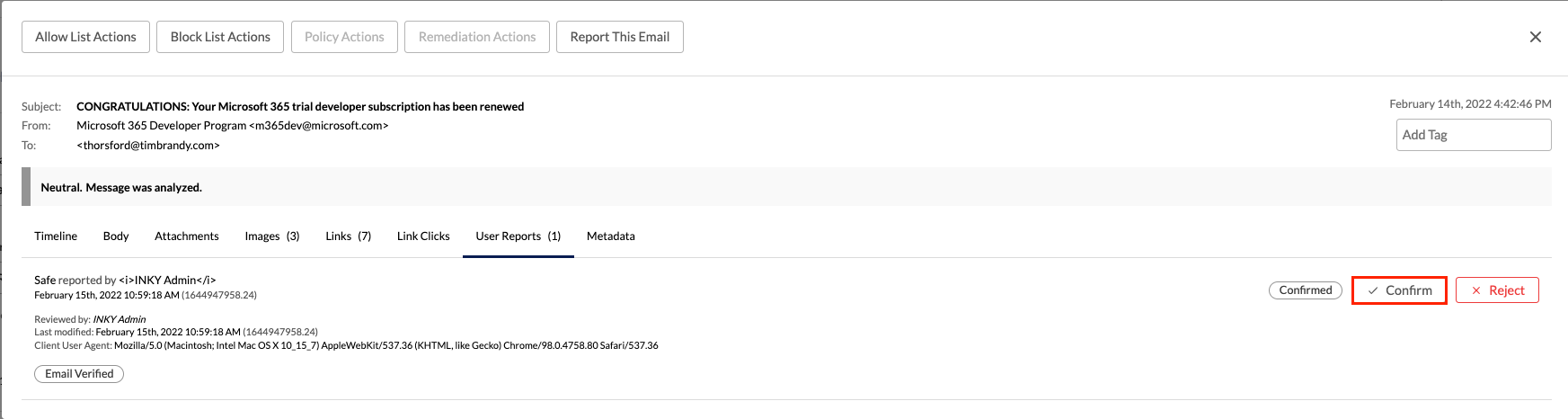
Do Not Allow Users To Continue - When enabled, users cannot bypass dangerous site warnings. Only administrators can approve access by confirming "Safe" reports in the dashboard.
User confirmation settings - Control when users see confirmation pages:
External Mail: Choose All links / Caution + Danger / Danger only (default) / Never
Trusted 3rd Party/Internal Mail: Same options, defaults to Danger only
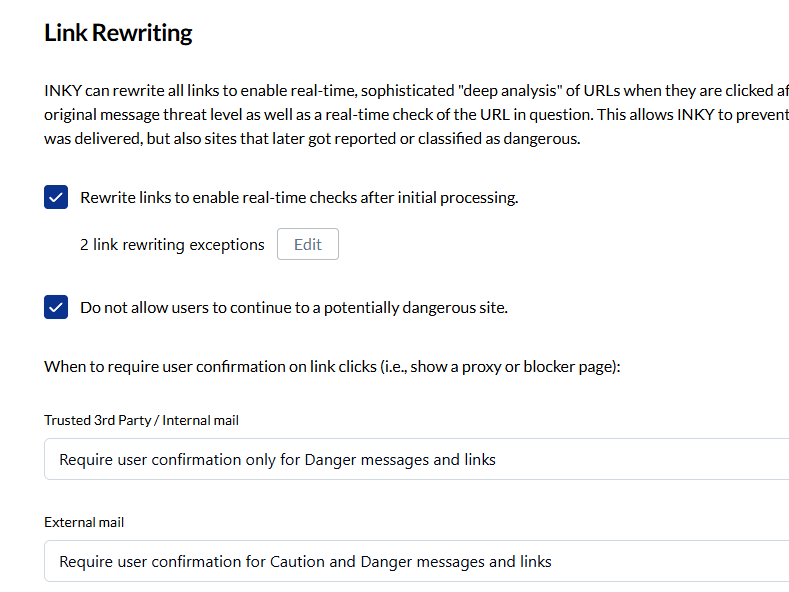
Recommendation: Start with default settings (Danger only). Enable "Do Not Allow Users To Continue" for high-security environments.
Exceptions
Create exceptions when specific links break or cause problems, not as a general allowlist. Exceptions prevent INKY from rewriting the link entirely.
Exception types:
Sending email address
Sending email domain
Specific URL (e.g., https://www.inky.com/product/overview)
URL domain or subdomain (e.g., https://inky.com or https://test.inky.com)
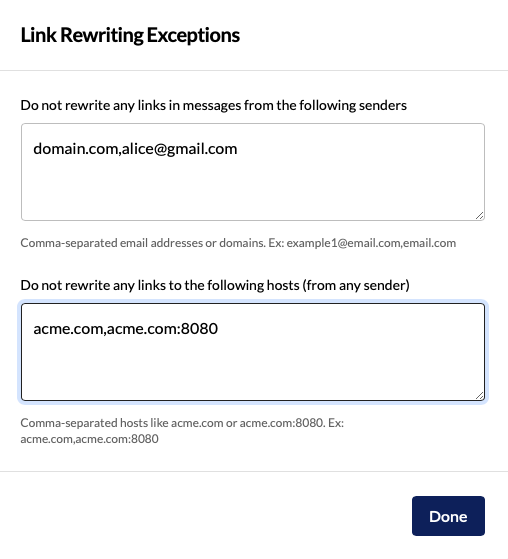
Note: Domain exceptions don't include subdomains automatically. An exception for inky.com won't cover test.inky.com.
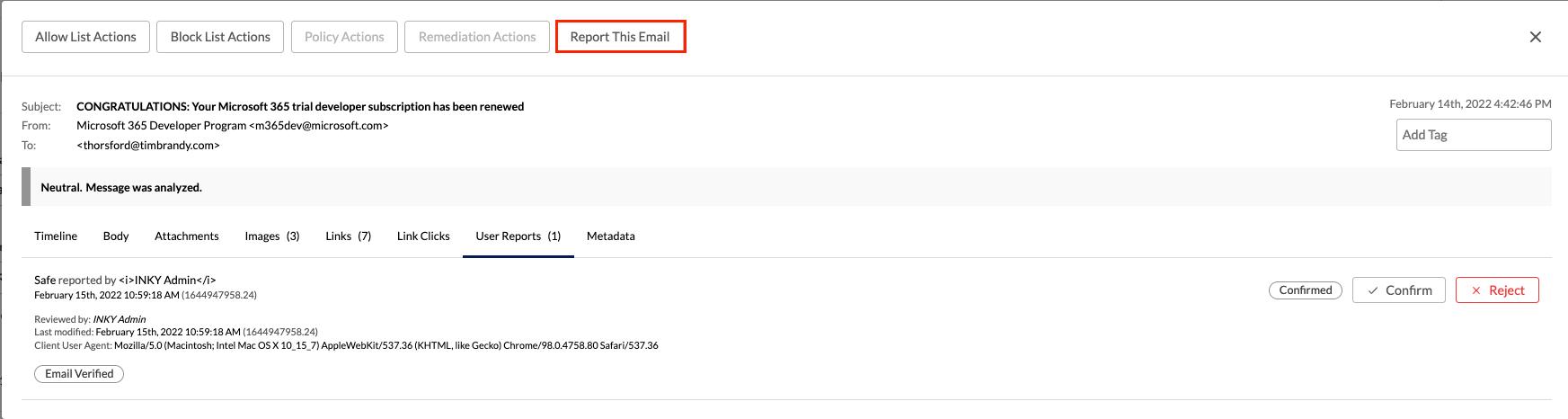
Post-delivery exceptions: If a URL is misclassified, administrators can approve it by confirming user "Safe" reports. Users must report via "Report This Email" on the banner. The same URL will then be allowed for all users.
User Experience
Rewritten links show an INKY URL. Hovering reveals the registered domain (e.g., google.com).
Clicking a link:
INKY analyzes in real-time (<1 second)
If dangerous: Shows confirmation page with screenshot of destination
If suspicious: Shows confirmation page (configurable by threat level)
If safe: User goes through automatically
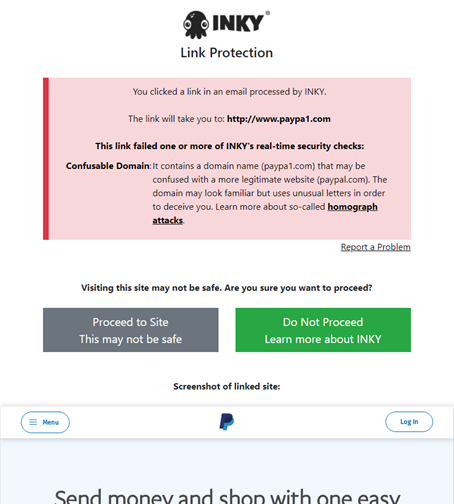
Users see a brief "Checking link safety" moment for analyzed links, then proceed or see warnings based on threat assessment.
Available in: All bundles
Tools: INKY Link Decoder (decode rewritten URLs)
Still need help? Ask the team