Editing Allow and Block List Entries
Modify existing entries to fix mistakes or adjust authentication settings. You can change everything except the result type.
Written By Matt Sywulak
Last updated 9 months ago
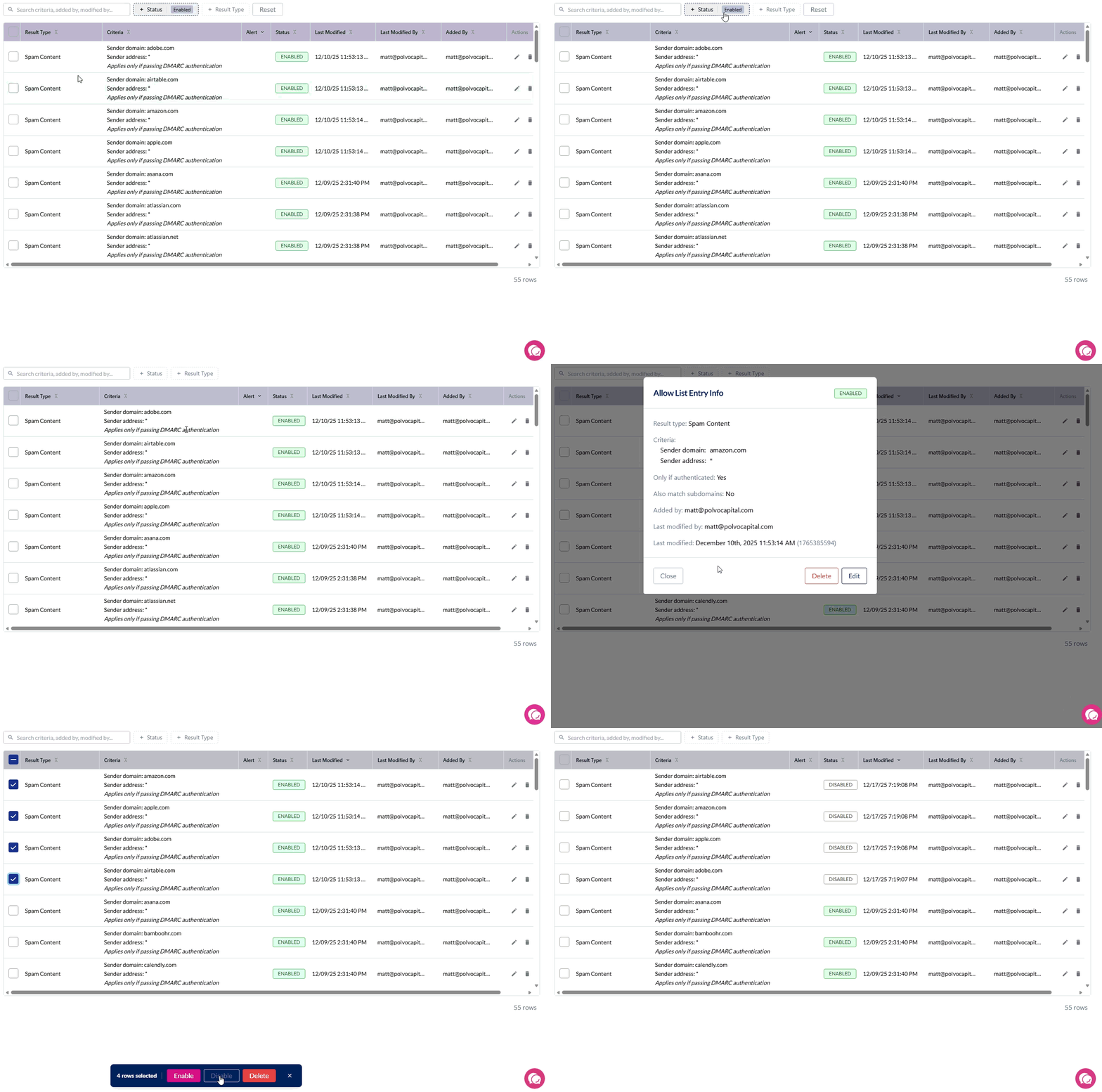
Finding Entries to Edit
Use the filter options at the top of the Allow or Block List to find specific entries:
Status filter — Filter by Enabled or Disabled entries
Result Type filter — Filter by the warning type (Spam, Phishing, First-Time Sender, etc.)
User Email filter — Find entries that apply to a specific user
Edit Process
Admin Center > Allow List or Block List
Select the entry
Select More Info
Select Edit
What You Can Change
Criteria:
Sender email address (fix typos)
Domain name (fix misspellings)
Options:
DMARC authentication requirement
Subdomain matching
User-specific targeting (convert team entry to user entry)
What you cannot change:
Result type (delete and recreate entry instead)
Converting to User-Level Entry
In edit view:
Add email address in "User's Email address" field
Save changes
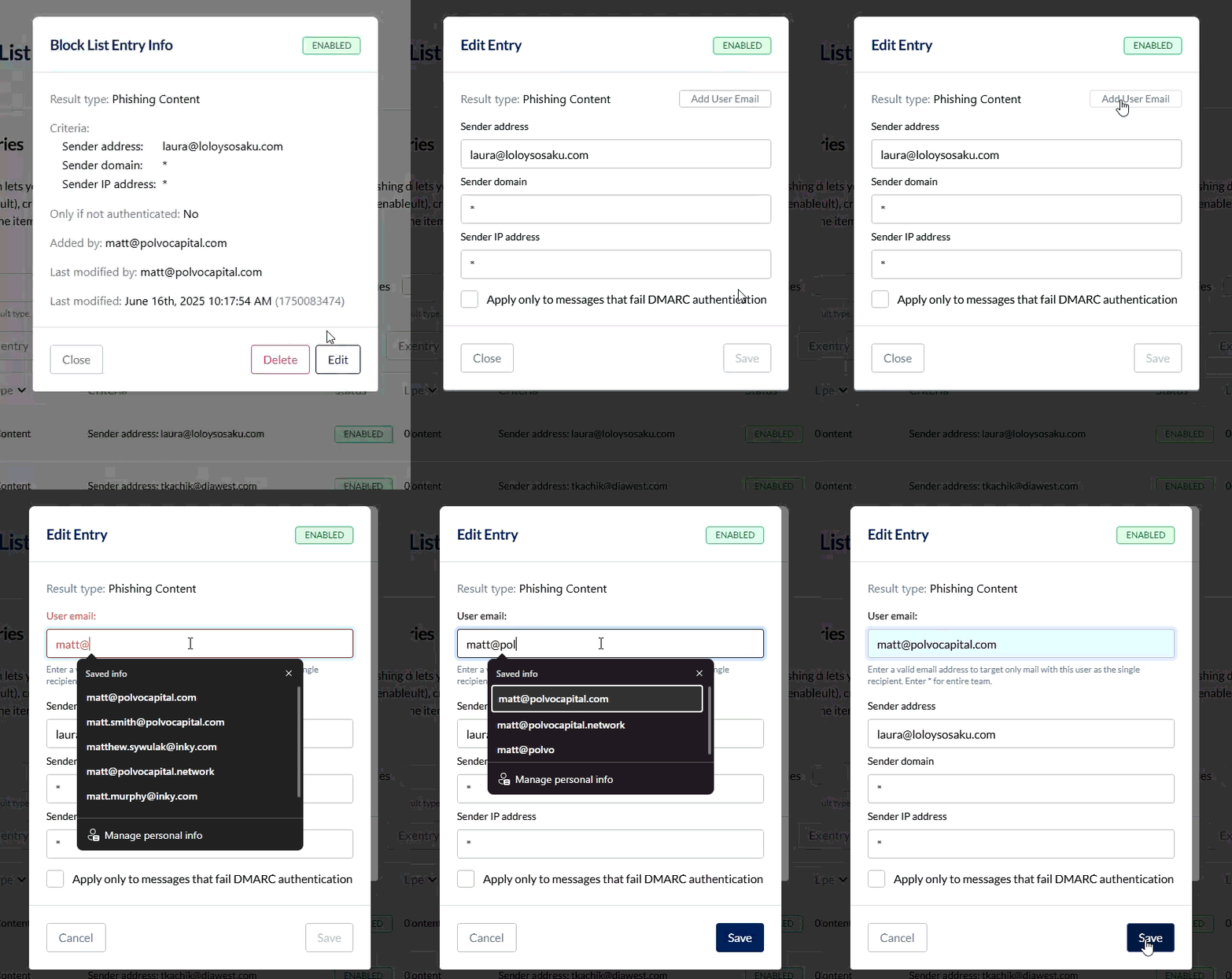
This converts a team-level entry that applies to everyone into a user-specific entry that applies to only that user.
Note: User-level entries require separate management.
Bulk Enable/Disable
For managing multiple entries at once, use bulk operations instead of editing individually:
Select multiple entries using checkboxes
Choose Enable Selected or Disable Selected from the actions menu
A progress indicator shows the operation status
Tip: The system skips entries already in the desired state, making bulk operations efficient for large lists.
Deleting Entries
To delete:
Select the entry
Select More Info
Select Delete
Permanently removes the entry. Use when the entry is no longer needed.
Disabling vs. Editing vs. Deleting
Disable: Keeps entry but stops it from matching (can re-enable later)
Edit: Changes entry parameters while keeping it active
Delete: Permanently removes entry
Use disable when: Testing whether an entry causes issues, or temporarily suspending a rule
Use bulk disable when: Testing whether multiple entries cause issues
Use edit when: Entry has wrong criteria but correct purpose
Use delete when: Entry is no longer needed